License
Information about purchasing Proxygen.
Proxygen for Mac is available as a direct download at proxygen.app.
Note that the trial version is intended for evaluation purposes and continued use of the app requires a purchase.
Full version features
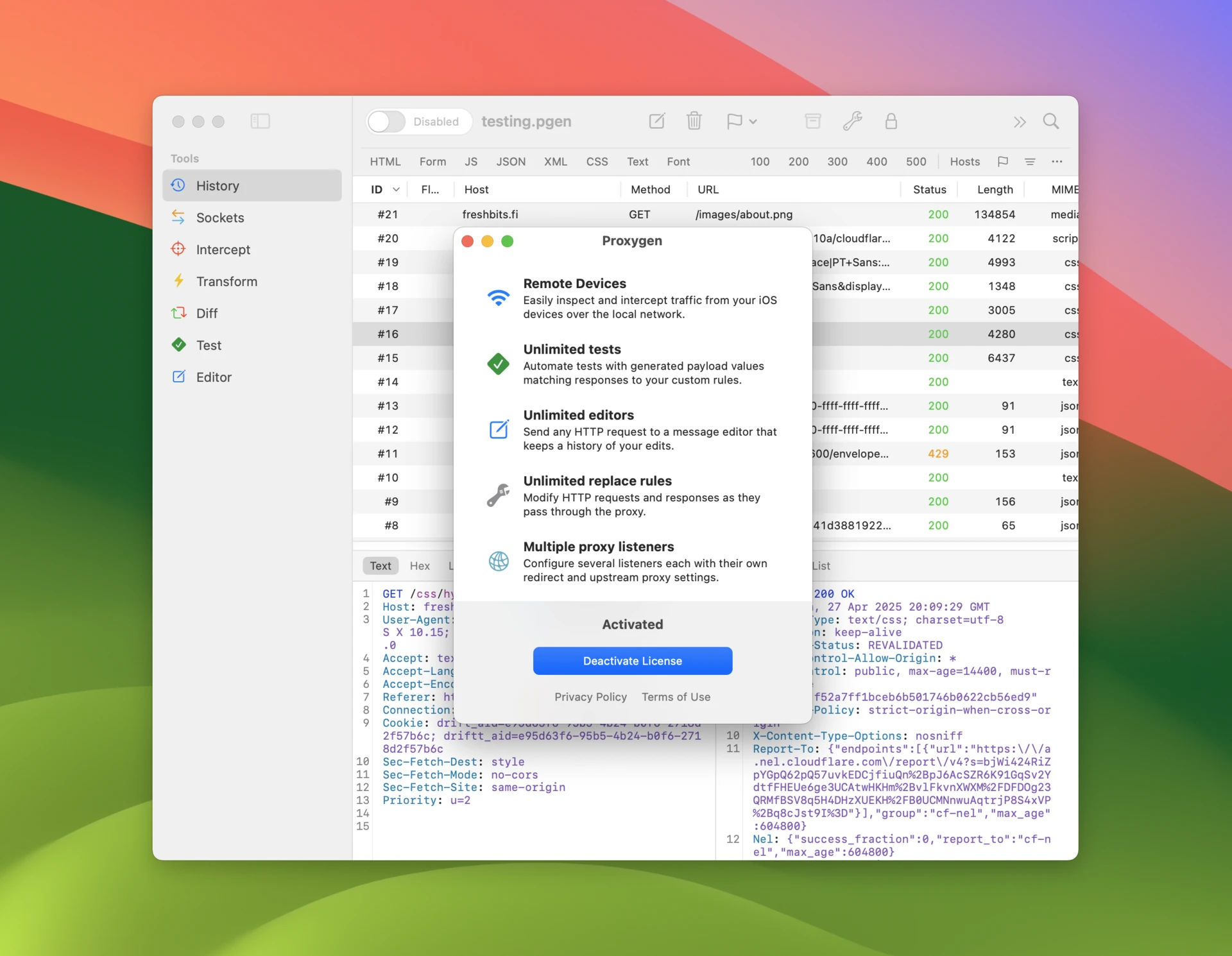
Full version of Proxygen unlocks all features of the app, including:
- Send to Mac – Seamless integration between iOS and Mac versions
- MCP Server – Give AI agents access to Proxygen documents
- Scripting – Write JavaScript code to modify proxied traffic
- Editor themes – Choose from a variety of popular code editor themes
- Unlimited variables – Define variables to share state between tools
- Unlimited tests – Create as many test configurations as needed
- Unlimited editors – Open multiple message editors simultaneously
- Unlimited rewrite rules – Advanced traffic manipulation capabilities
- Unlimited authentication rules – Set up how to authenticate to servers
- Unlimited proxy listeners – Full configuration options for complex setups
Direct download
Get started with Proxygen by downloading the trial version directly from proxygen.app. The trial includes core functionality with some limitations to help you evaluate the application.
Upgrade your trial with a license purchased from our website.
The following features are only available in the direct download version:
- Client app lookup – Displays the client app for each request in message history
- Helper tool – Privileged helper that automatically sets up system proxy address
- Install certificate to keychain – Installs Proxygen CA to login keychain
- Install certificate to iOS Simulators – Installs Proxygen CA to iOS Simulators
How to activate license
After making a purchase you receive an email with your license key. Depending on the license type you have a certain number of activations per each key. License activation requires a network connection and reads the serial number of your Mac.
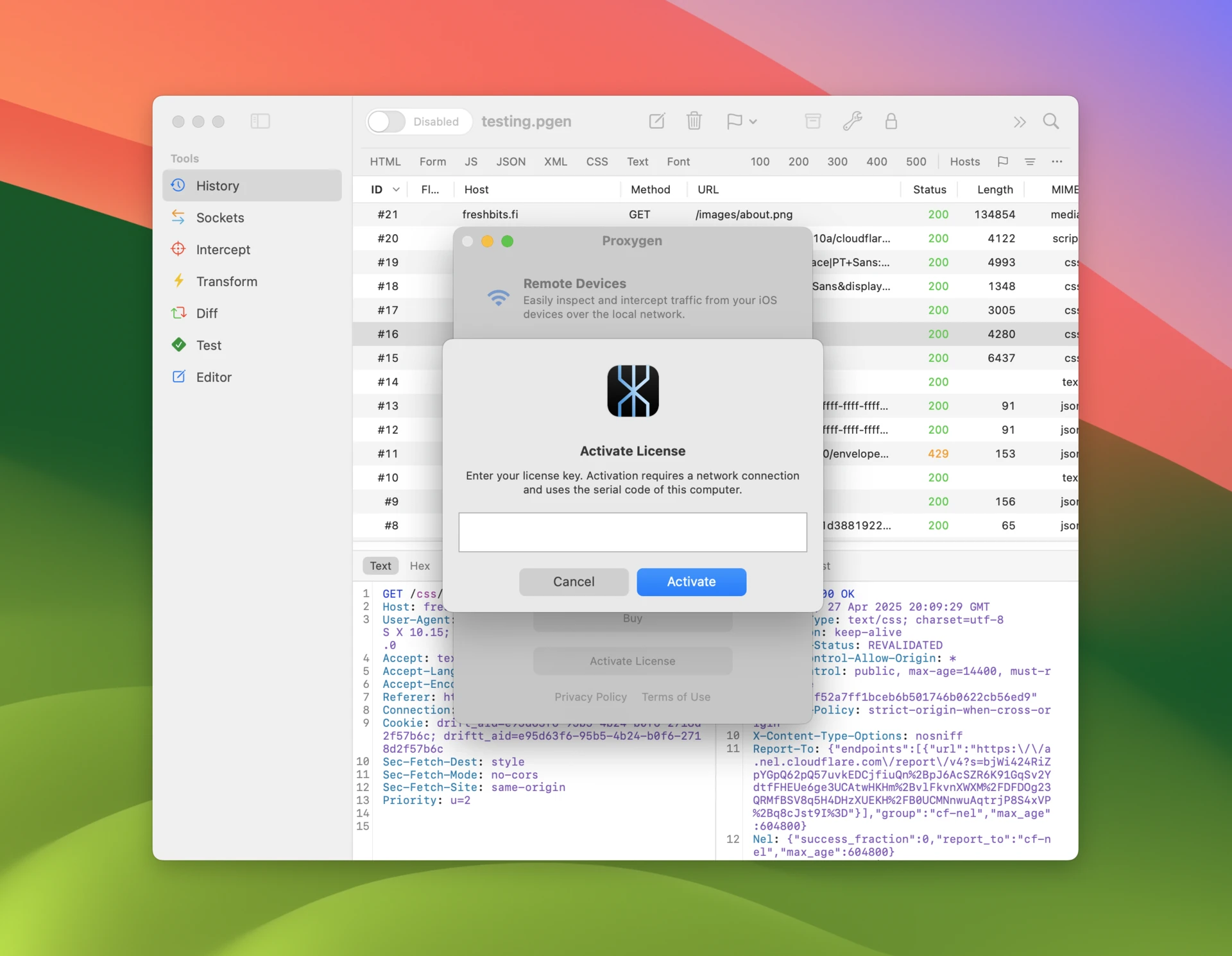
- Open menu item About → License.
- Click Activate License and enter your license key.
- The trial is unlocked and the license key is used by this Mac.
How to deactivate license
You can transfer your license by first deactivating it on one Mac and then activating it on another. Remember to deactivate your license key in Proxygen app before decommissioning a Mac.
- Open menu item About → License.
- Click Deactivate License and confirm action.
- The app is in trial mode and the license key is available for use on other Macs.