Variables
Save and share state across all tools.
Variables let you store tokens, identifiers and other values from responses and then use them later in other requests. They form the backbone that connects various tools in Proxygen together.
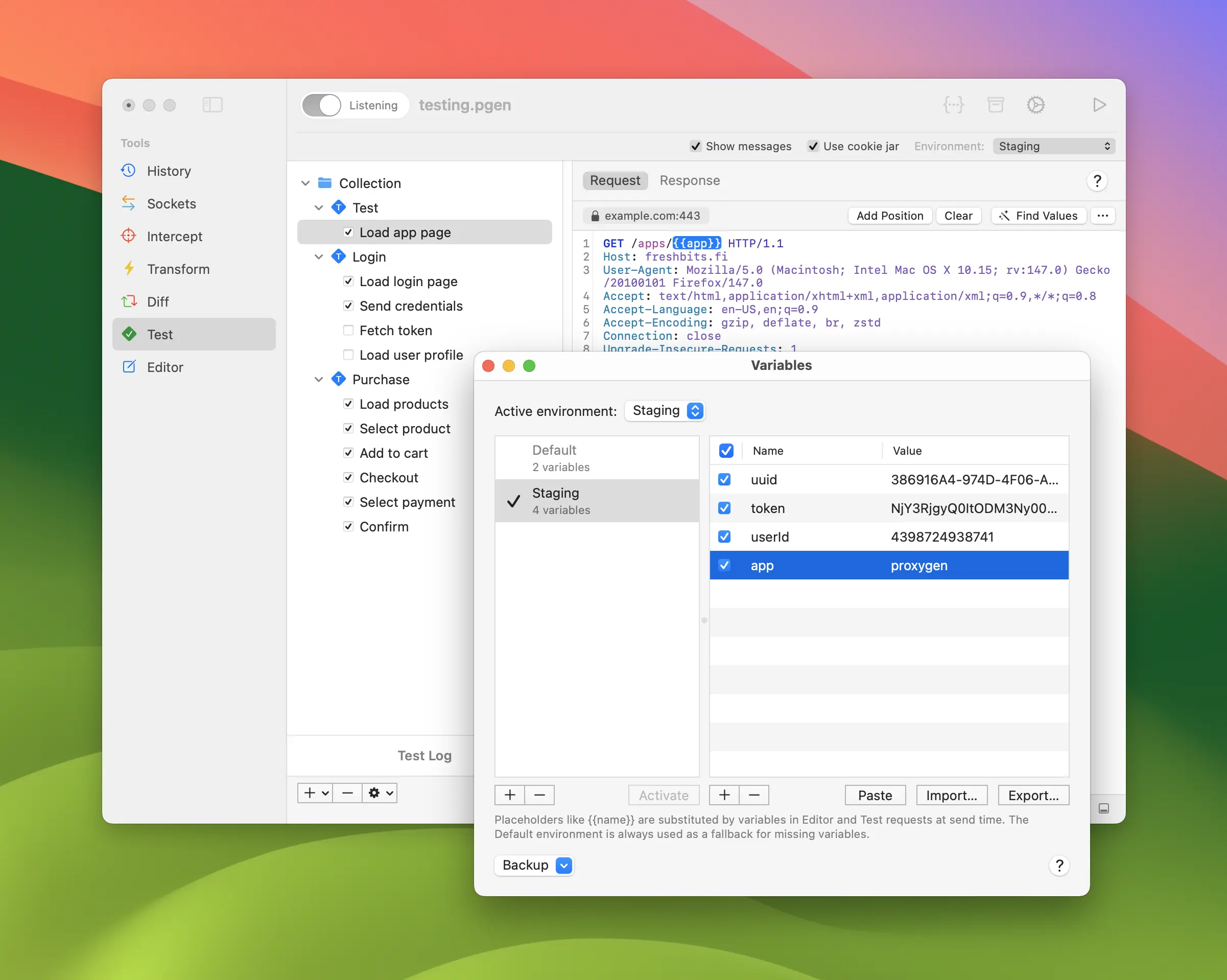
Environments
Open Variables window with keyboard shortcut shift-command-v.
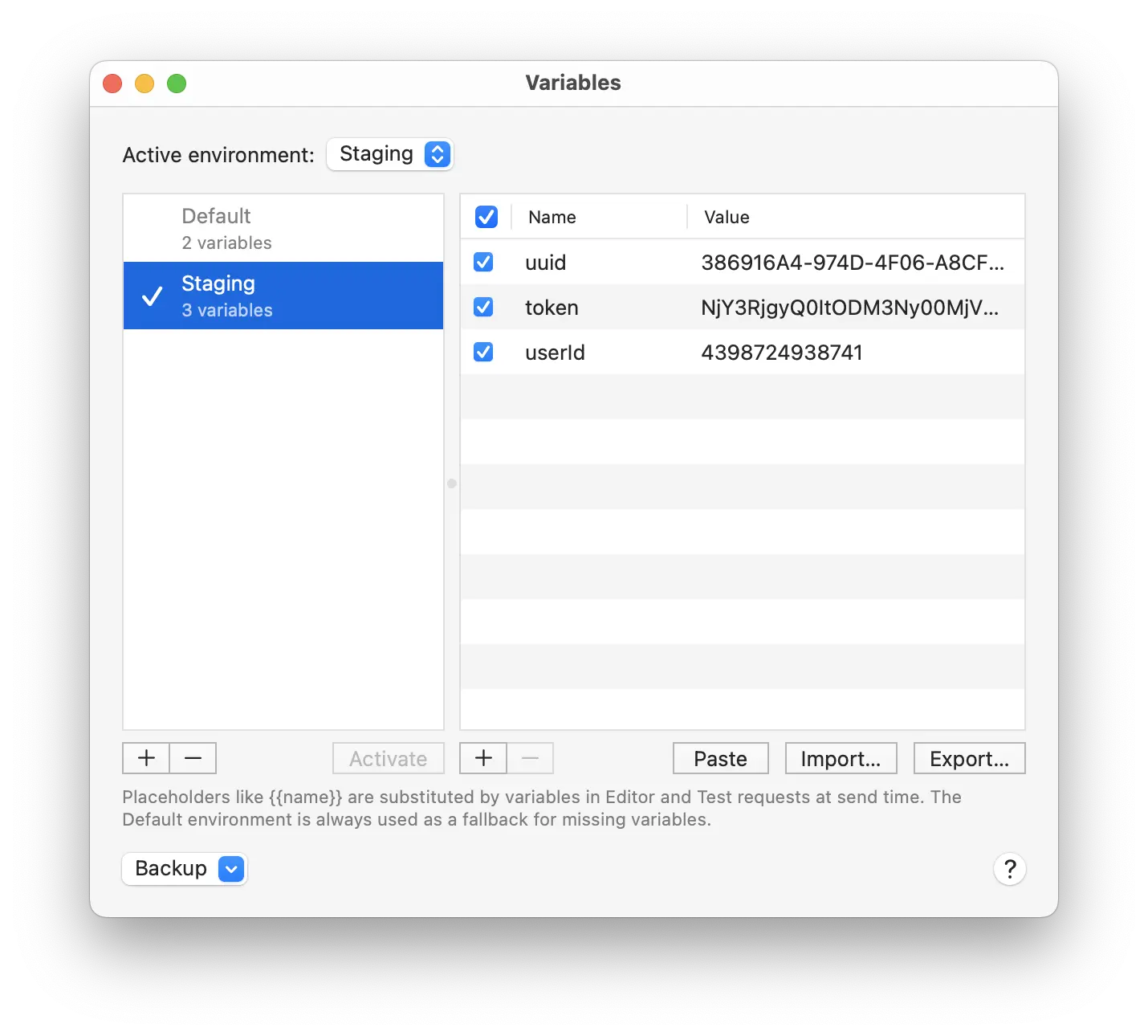
On the left you have a list of Environments, each with its own variables. One of them is the Active Environment. When substituting values the variable name is searched first from the active and then from the Default environment.
You can set up the same variable name in several environments, with different values. For example, configure a variable named apiKey in both Development and Staging environments. Then change the active environment to use a different API key for all requests.
Placeholders
Variables can be inserted using {{name}} syntax with the variable name. They are supported in requests in the Test and Editor tools, and in Authentication and Rewrites rule fields. Type {{ to see completions of variables from active environment and available built-ins.
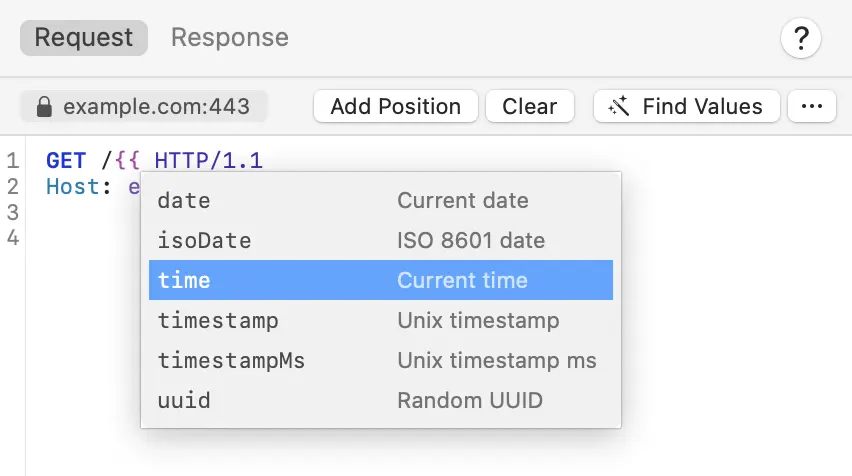
All placeholders are substituted with current variable values before the request is sent.
Built-ins
The following Built-in variables area available:
| Name | Description |
|---|---|
uuid |
Inserts a random UUID value. |
timestamp |
Inserts current timestamp e.g. 1775143329. |
timestampMs |
Inserts current timestamp in milliseconds. |
date('yyyy-MM-dd') |
Inserts current time in given format e.g. 2026-04-02. |
For example, type {{uuid}} or {{timestamp}} in your request.
Operations
Variables and built-ins can be transformed using dot syntax with the following Operations.
Encoding and decoding
| Name | Description |
|---|---|
base64Encode |
Base64 encode. |
base64Decode |
Base64 decode. |
base64UrlEncode |
Base64URL encode. |
base64UrlDecode |
Base64URL decode. |
base32Encode |
Base32 encode. |
base32Decode |
Base32 decode. |
base58Encode |
Base58 encode. |
base58Decode |
Base58 decode. |
base85Encode |
Base85 encode. |
base85Decode |
Base85 decode. |
hexEncode |
Hex encode. |
hexDecode |
Hex decode. |
asciiHexEncode |
ASCII hex encode. |
asciiHexDecode |
ASCII hex decode. |
urlEncode |
URL encode. |
urlEncodeAll |
URL encode every byte. |
urlDecode |
URL decode. |
queryEncode |
Query parameter encode. |
headerEncode |
HTTP header encode. |
jsonEscape |
JSON escape. |
jsonUnescape |
JSON unescape. |
jsStringEscape |
JS string escape. |
jsStringUnescape |
JS string unescape. |
htmlEscape |
HTML escape. |
htmlUnescape |
HTML unescape. |
htmlDecimalEntityEncode |
HTML decimal entity encode. |
htmlHexEntityEncode |
HTML hex entity encode. |
cssEscape |
CSS escape. |
cssUnescape |
CSS unescape. |
octalEscape |
Octal escape. |
octalUnescape |
Octal unescape. |
hexEscape |
Hex \xNN escape. |
hexUnescape |
Hex \xNN unescape. |
unicodeEscape |
Escape non-ASCII as \uXXXX. |
unicodeUnescape |
Unescape non-ASCII from \uXXXX. |
quotedPrintableEncode |
Quoted-printable encode. |
quotedPrintableDecode |
Quoted-printable decode. |
utf7Encode |
UTF-7 encode. |
utf7Decode |
UTF-7 decode. |
samlEncode |
SAML deflate + Base64 encode. |
samlDecode |
SAML Base64 + inflate decode. |
Hashing
| Name | Description |
|---|---|
sha1 |
SHA-1 hash. |
sha224 |
SHA-224 hash. |
sha256 |
SHA-256 hash. |
sha384 |
SHA-384 hash. |
sha512 |
SHA-512 hash. |
md5 |
MD5 hash. |
md4 |
MD4 hash. |
md2 |
MD2 hash. |
crc32 |
CRC-32 checksum. |
adler32 |
Adler-32 checksum. |
String and collection
| Name | Description |
|---|---|
uppercase |
Uppercase. |
lowercase |
Lowercase. |
trim |
Trim whitespace. |
reverse |
Reverse a string. |
first |
First element of array. |
last |
Last element of array. |
countlength |
Length of array or string. |
Formatting
| Name | Description |
|---|---|
jsonPrettyPrint |
Pretty print JSON. |
xmlPrettyPrint |
Pretty print XML. |
Some operations accept parameters:
| Name | Description |
|---|---|
split('separator') |
Split string into array. |
nth(index) |
Element at index (0-based). |
replace('match','replacement') |
Literal string replacement. |
regexReplace('pattern','replacement') |
Regex replacement. |
substring(start,end) |
Extract portion of string. |
addPrefix('text') |
Prepend string. |
addSuffix('text') |
Append string. |
jsonPath('query') |
JSONPath query. |
xpath('query') |
XPath query. |
hmacMd5('key')hmacSha1('key')hmacSha256('key')hmacSha384('key')hmacSha512('key') |
HMAC signing. |
Encryption
These operations take an ASCII hex key and an ASCII hex nonce, IV or counter block. An optional third argument selects how the ciphertext is represented — 'hex' (the default) or 'base64'. On decrypt the same argument tells Proxygen how the input ciphertext is encoded; the decrypted output is read as UTF-8 text.
| Name | Description |
|---|---|
aesGcmEncrypt('key','nonce'[,'hex'|'base64'])aesGcmDecrypt('key','nonce'[,'hex'|'base64']) |
AES-GCM. Ciphertext has the 16-byte tag appended. |
aesCbcEncrypt('key','iv'[,'hex'|'base64'])aesCbcDecrypt('key','iv'[,'hex'|'base64']) |
AES-CBC with PKCS#7 padding. |
aesCtrEncrypt('key','counter'[,'hex'|'base64'])aesCtrDecrypt('key','counter'[,'hex'|'base64']) |
AES-CTR with a big-endian initial counter block. |
chaChaPolyEncrypt('key','nonce'[,'hex'|'base64'])chaChaPolyDecrypt('key','nonce'[,'hex'|'base64']) |
ChaCha20-Poly1305. Ciphertext has the 16-byte tag appended. |
Here are some examples of chaining operations:
// Base64-encode a token and add the Bearer prefix
Authorization: {{apiToken.base64Encode.addPrefix('Bearer ')}}

// URL-encode a JSON-escaped value
body={{payload.jsonEscape.urlEncode}}

// get the second path segment from a URL stored in a variable
{{apiPath.split('/').nth(1).uppercase}}

// add a prefix to a base64-encoded value
{{secret.base64Encode.addPrefix('Basic ')}}

// extract a field from a JSON variable using jsonPath, then trim whitespace
{{response.jsonPath('$.data.name').trim}}

// AES-GCM encrypt a secret to base64, then URL-encode it
{{secret.aesGcmEncrypt('000102030405060708090a0b0c0d0e0f','0011223344556677889900aa','base64').urlEncode}}Scripting
Variables are also available to scripting. You can use the following functions to read from and write to variables:
// get variable value by name
getVariable(name)

// set variable value by name
setVariable(name, value)