TLS Key Logging
Decrypt TLS traffic in Wireshark.
Proxygen can export the master secrets it negotiates while proxying HTTPS traffic to a file in NSS Key Log format. Loading that file into Wireshark lets you decrypt the matching TLS sessions captured on the wire, so you can inspect raw bytes alongside the high-level requests and responses Proxygen already shows.
Open from menu Proxy → TLS Key Logging…
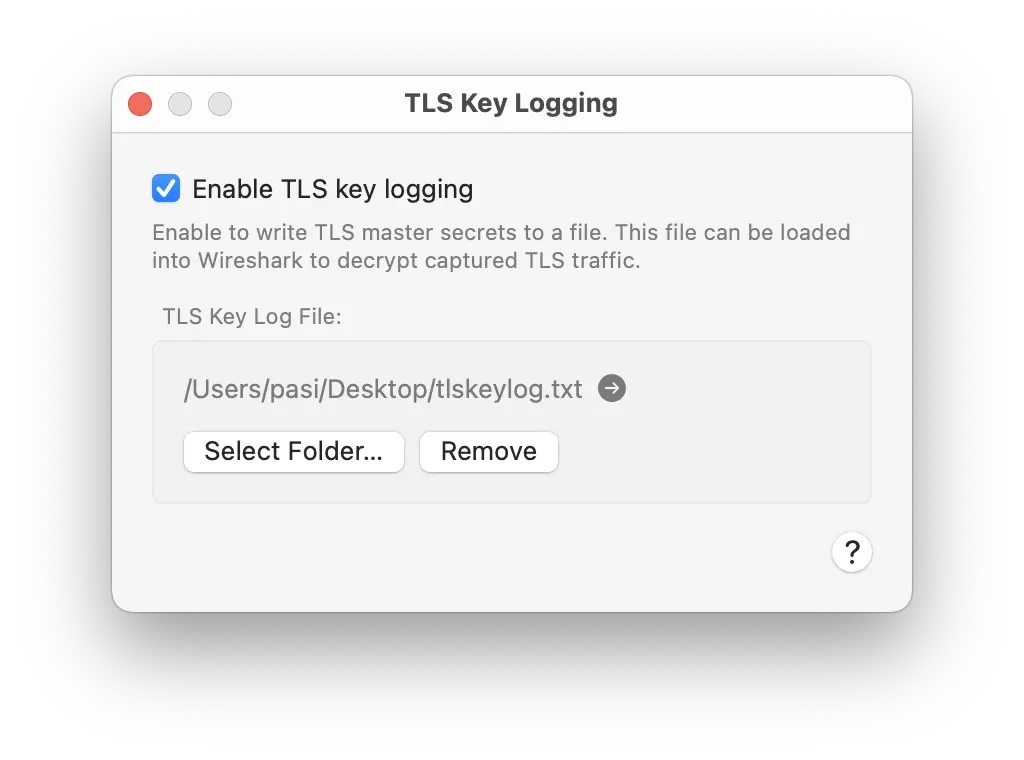
Enabling
Tick Enable TLS key logging and click Select Folder… to pick a destination. Proxygen writes secrets to a file named tlskeylog.txt inside the chosen folder, opened in append mode so they accumulate across sessions. The arrow button next to the path reveals the file in Finder.
Secrets are captured for every TLS handshake that TLS Proxy intercepts — both the connection from the client to Proxygen and the upstream connection from Proxygen to the origin server. Hosts excluded from TLS proxying produce no secrets in the file.
Using the file in Wireshark
In Wireshark, open Preferences → Protocols → TLS and set (Pre)-Master-Secret log filename to the path of tlskeylog.txt. Wireshark uses the secrets to decrypt any TLS sessions in your capture whose handshake is recorded in the file.
Alternatively, launch Wireshark with the SSLKEYLOGFILE environment variable set to the file path.
Security
Anyone who has this file can decrypt every TLS session whose handshake it records. Treat it as sensitive — don’t share it, commit it, or leave it on shared storage. Disable TLS key logging when you’re done debugging.