Test
Test collections of requests using assertions.
Test tool automates sending sequences of requests to a server, using variables extracted from responses and validating responses against assertions. It’s designed to streamline API testing for both functional validation and basic security assessments.
Organize tests
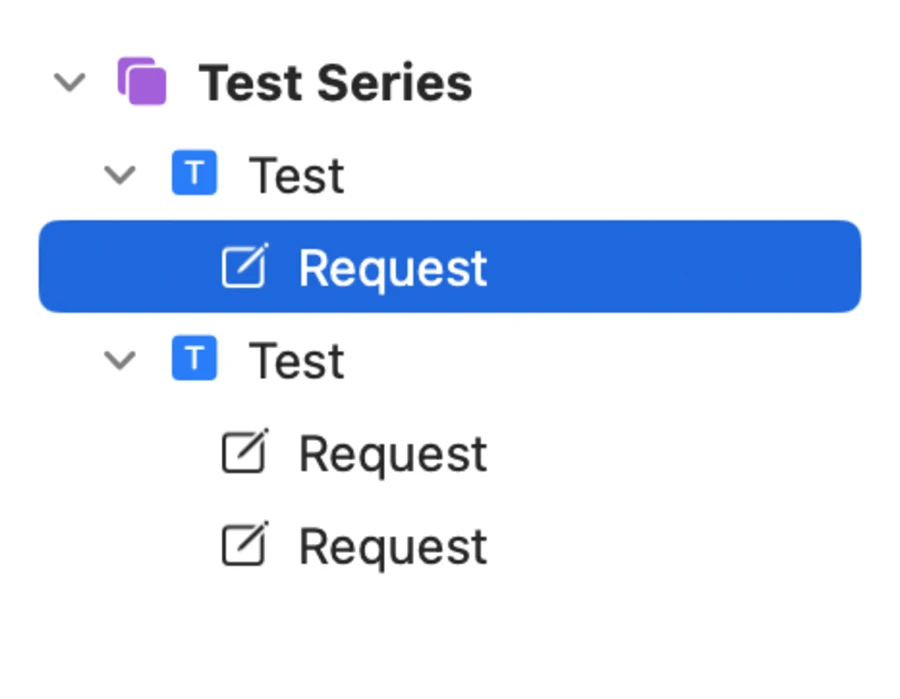
Manage Collections, Tests and Requests using the list on the left. Drag and drop multiple items to quickly rearrange tests and their requests in different collections. Press Enter to rename any item.
Each Collection contains a number of Tests. They help you organize your tests and run multiple relevant tests at once. A failing test can stop the execution of a collection.
Each Test contains a number of Requests that are meant to be run in sequence. A collection can be a chain of actions where each request uses parameters extracted from the previous response. Tests also let you modify requests by substituting positions using payloads.
Toggle the state of Requests to skip them during testing.
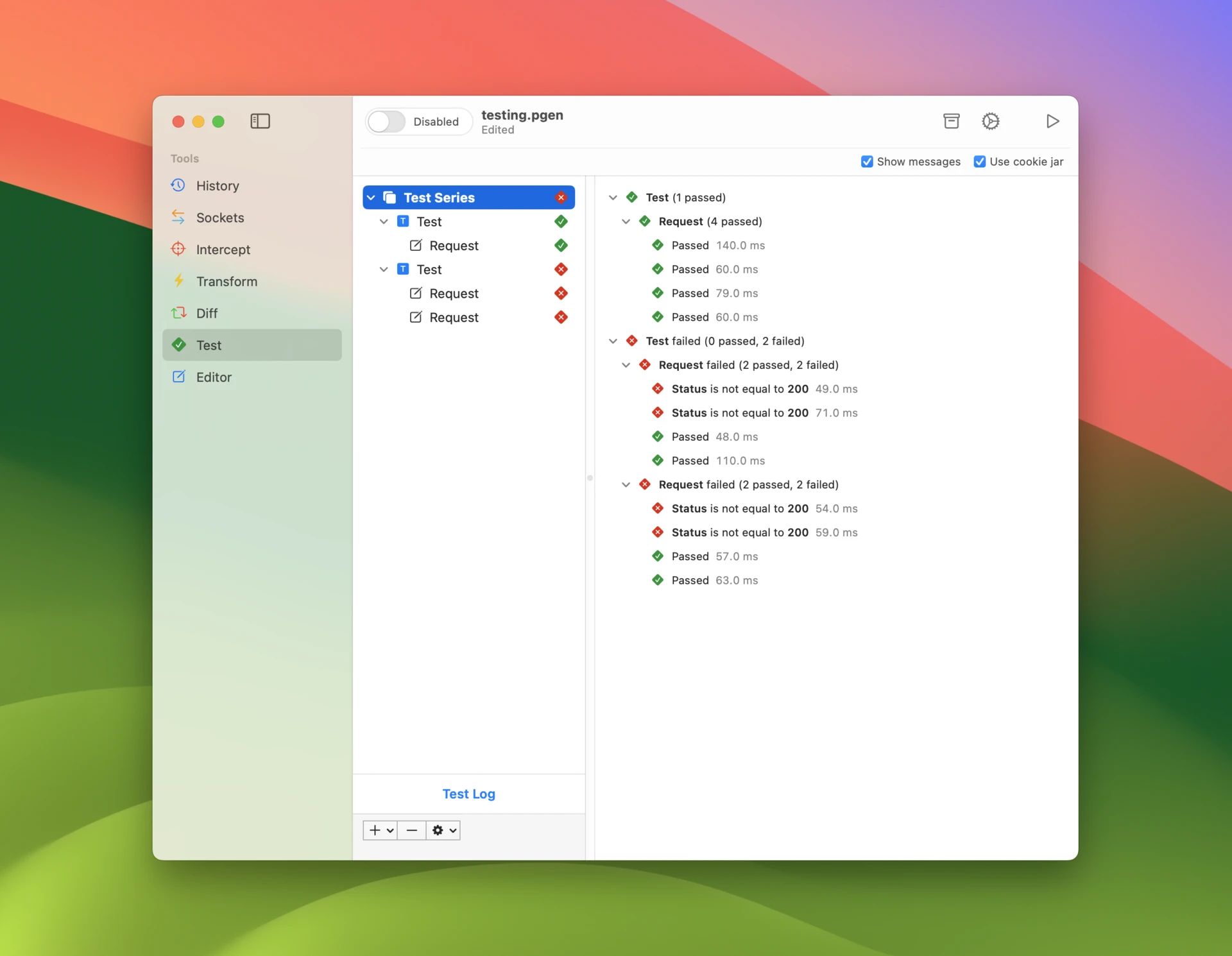
As you run your tests, this list shows you realtime status of their progress and pass / fail results.
Requests
Use command-t keyboard shortcut to test a request in History tool or add a default request using control-n keyboard shortcut in the tests list.
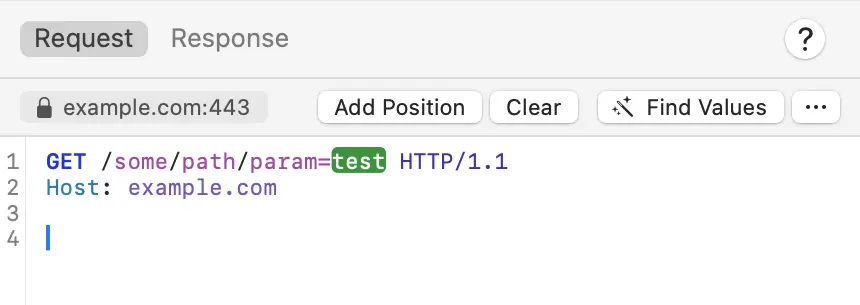
Set the request target in the popup that opens by clicking the hostname. Select host and port of the target server, and whether to connect using TLS or not.
There are two ways to insert values to requests:
- Variables can be placed anywhere in the request using
{{name}}syntax. Type{{to see completions of existing variables. Set them up manually in variables window, which you can open with keyboard shortcut shift-command-v. Alternatively, use extract rules or scripting to capture authentication tokens and other values from responses.
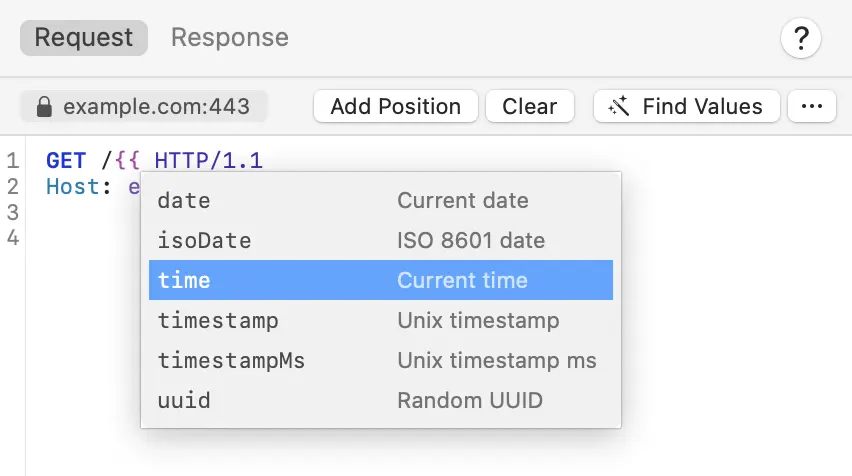
- Payload positions are placeholders that get substituted with test payloads before the requests is sent. Add Position button adds a payload position to the current cursor location (default base value is
test) or replaces any selection with a payload position. Find Values tries to automatically find parameter values from the request and add payload positions for all of them.
Scripting
Write JavaScript to execute custom logic for each test request before it is sent and each response after it is received. You can modify the HTTP message, read and write variables, log messages to console, and fail the response using fine grained conditions.
The following utilities are available to testing scripts:
// get variable value by name
getVariable(name)

// set variable value by name
setVariable(name, value)

// mark test as failed
fail(message)

// log to console
console.log(), console.info(), console.debug(), console.error()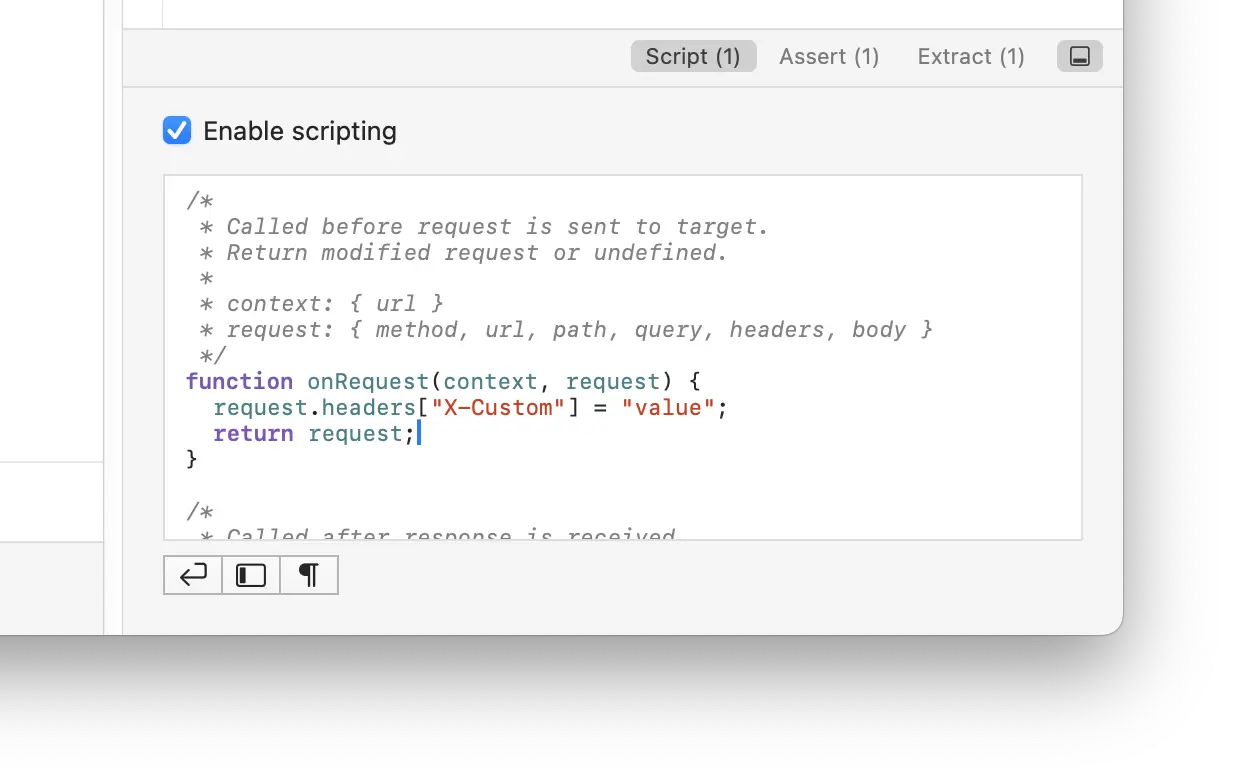
Assertions
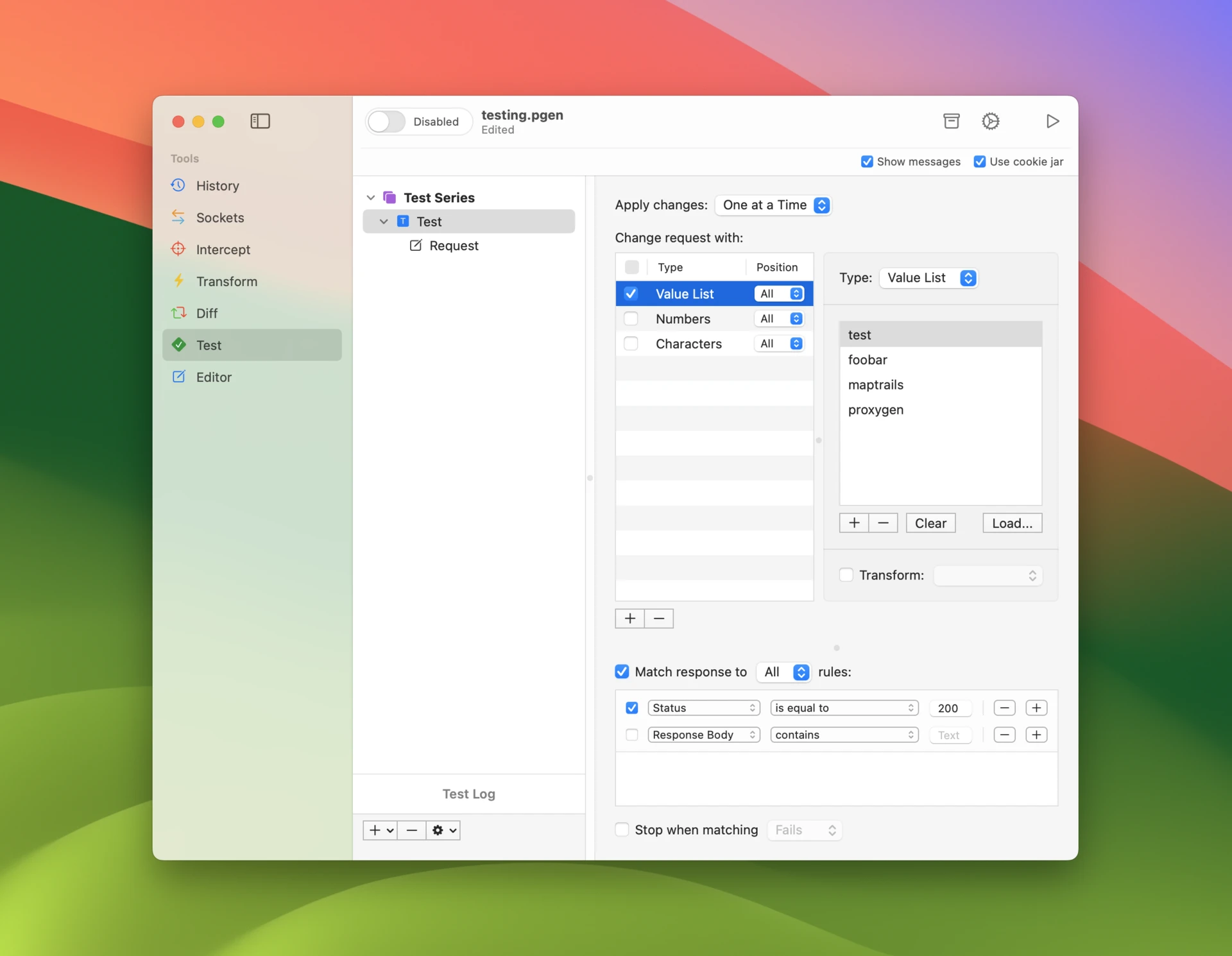
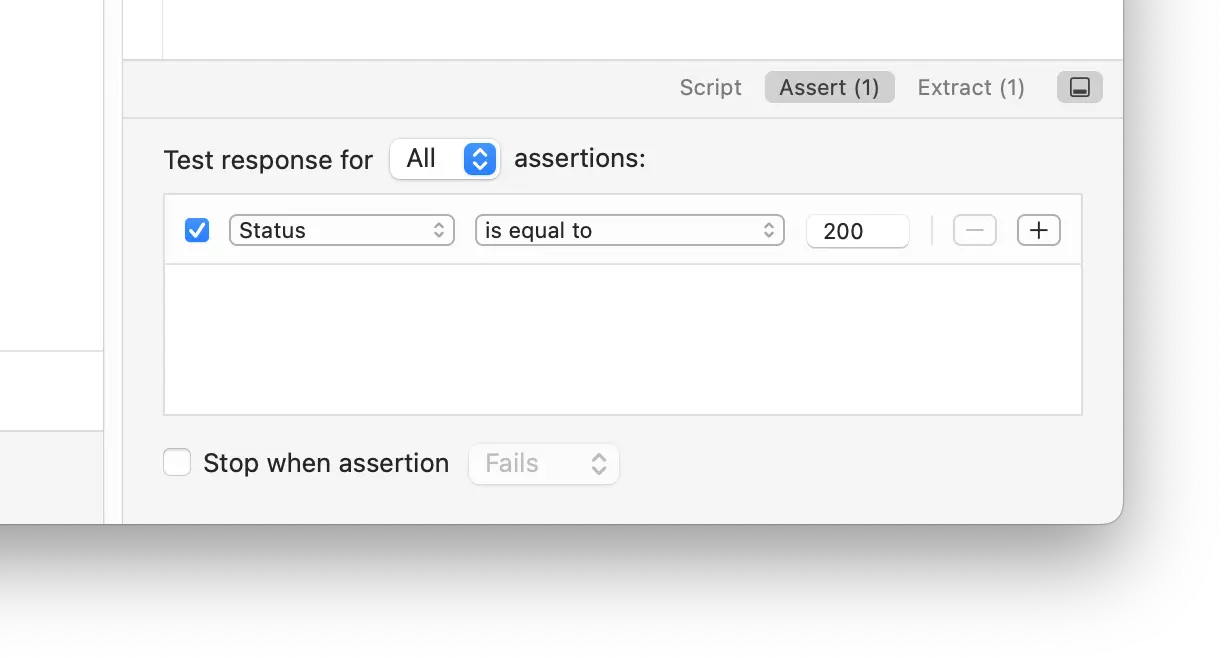
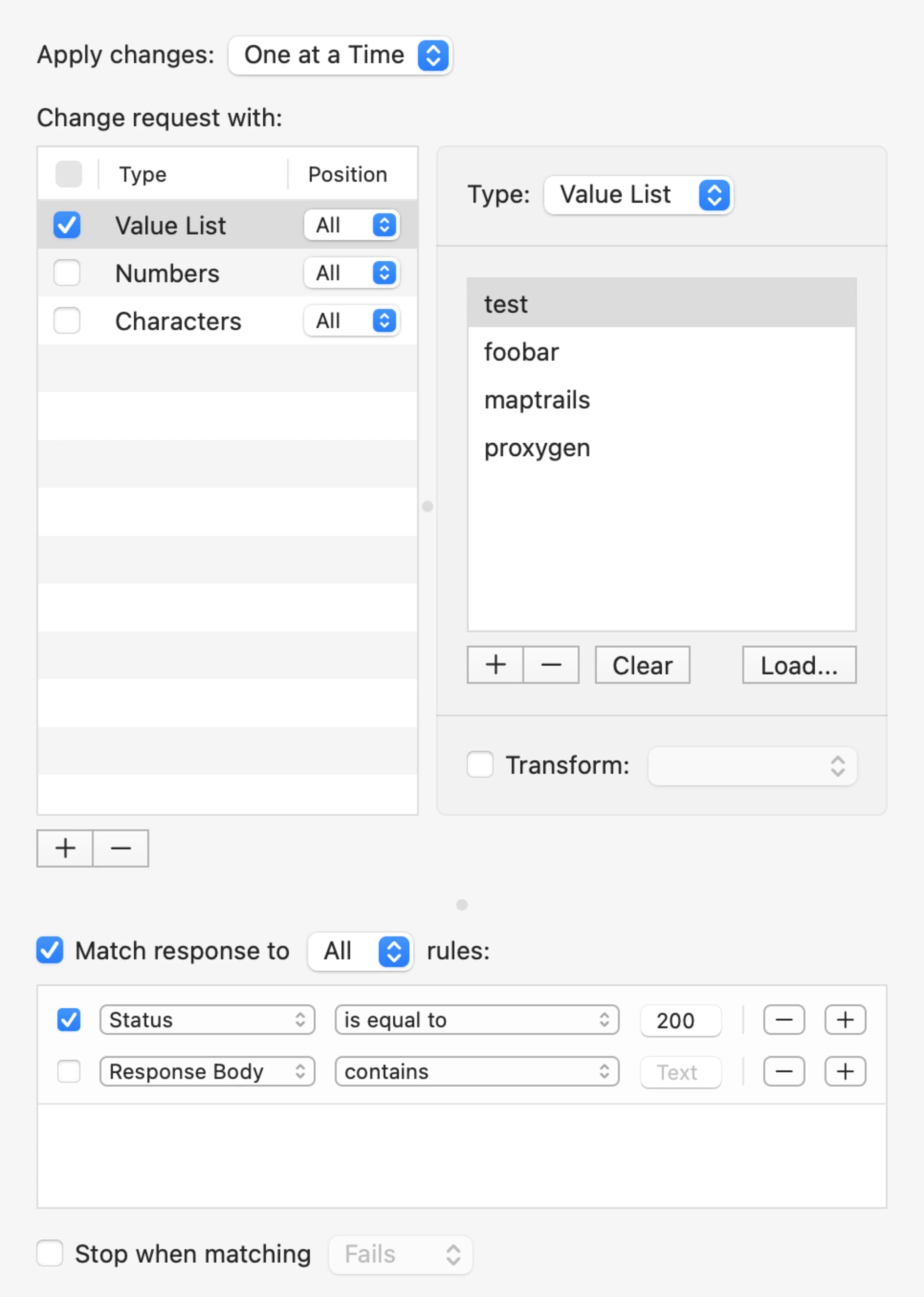
Set up any number of Test assertions for the response, and optionally stop test if assertions pass or fail. Enable test to only pass if the response matches All or Any of configured assertions. Finally, you can choose to Stop when assertion fails or passes.
Without enabled assertions, receiving a response passes the test request and receiving no response fails it.
Extract variables
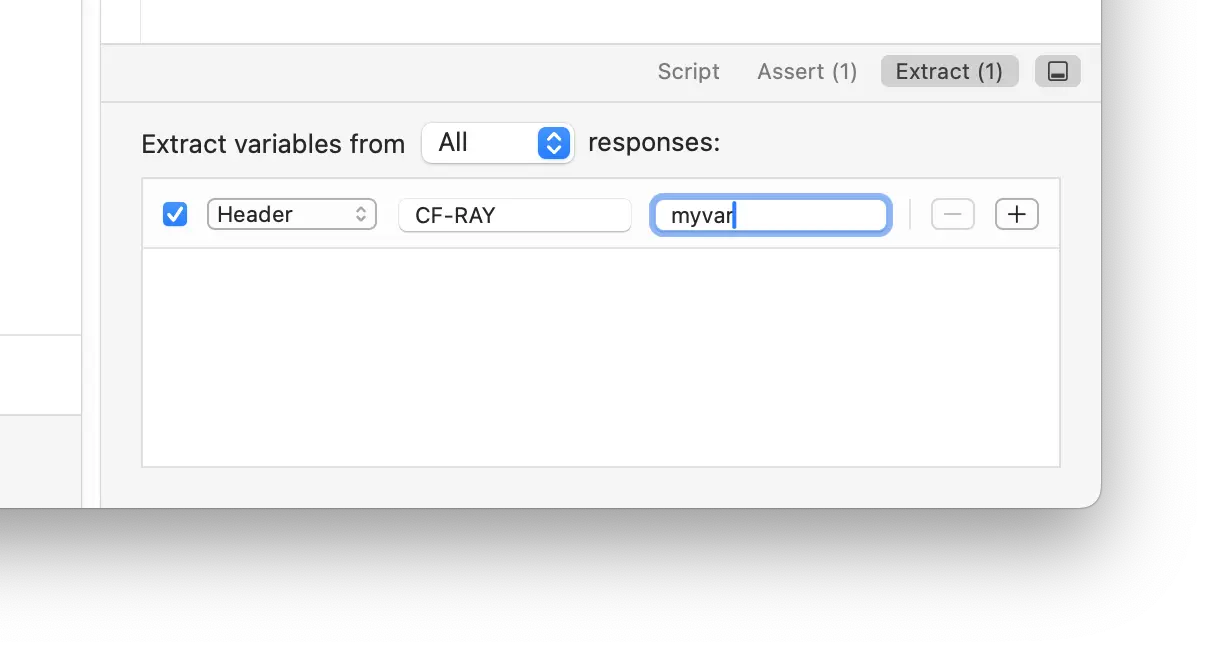
Capture variables values from responses during testing. These can be things like authentication tokens or identifiers that you need in subsequent requests. All variables are written to the currently active environment, where they are instantly available to any other tool in Proxygen app.
Test payloads
Set up Payloads to test an API endpoint using a larger amount of generated payloads. The following payload types are available:
- Value List has a simple list of text values. Click Load to insert values from a text file (each value on a separate line).
- Numbers produces a series of values between Start and End at Step intervals. You can use floating point values and define how many fractional digits to include in the numbers.
- Dates generates dates between Start and End dates stepping at selected intervals (days, months or years). Use the date format specifier to format your dates.
- Characters creates combinations of a given set of characters between minimum and maximum length. Use this type to perform a brute force attack to some discover unknown value.
- Flip goes through either bytes or bits of the placeholder’s base value and either flips the bit or increases the byte value by one. Use this type of test to discover which parts of a parameter are significant, i.e. used by the remote service.
- Read File takes a file path that is read at runtime when you start your test. Similar to Value List values are separated by newlines. This type of test allows you to quickly iterate with your test input or programmatically provide test payloads.
Run tests
Start all selected Collections, Tests and Requests using command-⏎ keyboard shortcut or click the Start toolbar button. Use keyboard shortcut command-. to stop testing at any time. Select Test Log to see a summary of all test results.
If Show messages is enabled in accessory toolbar a window will pop up showing all sent requests and their responses. Note that you can always access messages from the latest run using Messages button in the accessory bar.
Options
Select Use cookie jar in the accessory toolbar to use Cookie Jar to automatically update test requests with cookies.
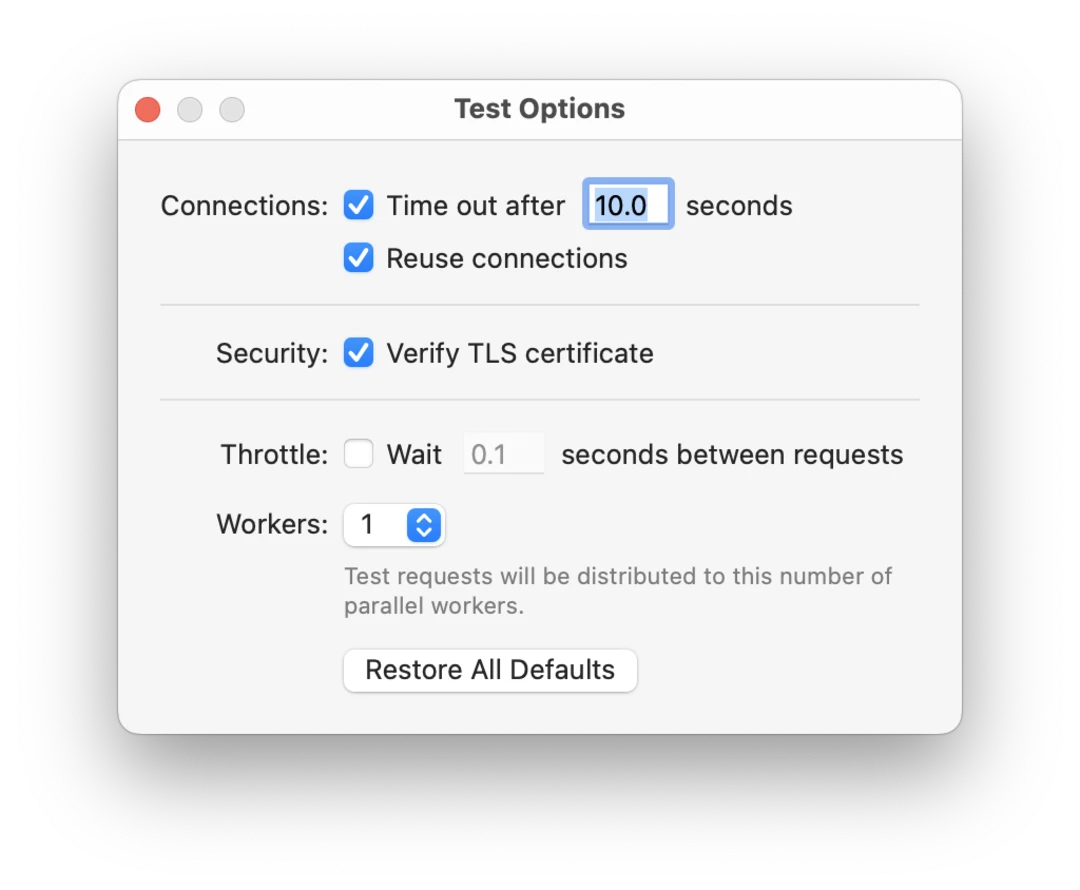
Open Test options to customize how tests are performed.
-
Enable Automatically follow redirects to let the tool follow redirection responses up to a maximum number of times.
-
Select a connection timeout to fail request after a specific time interval. Set this to a larger value if your target server delivers responses slowly.
-
Enabling connection reuse greatly increases performance by using the same TCP connection for multiple HTTP requests. Disable this setting if it causes errors with certain target servers.
-
Disable TLS certificate verification in case you want tests to proceed even if a TLS certificate validation fails for some reason, for example when the certificate is expired.
-
Throttle test requests by waiting between sending requests.
-
Set number of parallel workers that the test requests will be distributed to. A larger number of workers may help to have your tests complete faster.