Authentication
Authenticate proxied requests to servers and APIs.
Authentication rules add credentials to requests that match specific traffic. This lets you connect to servers and APIs that require authentication without manually editing each request, which is useful when testing and exploring authenticated endpoints.
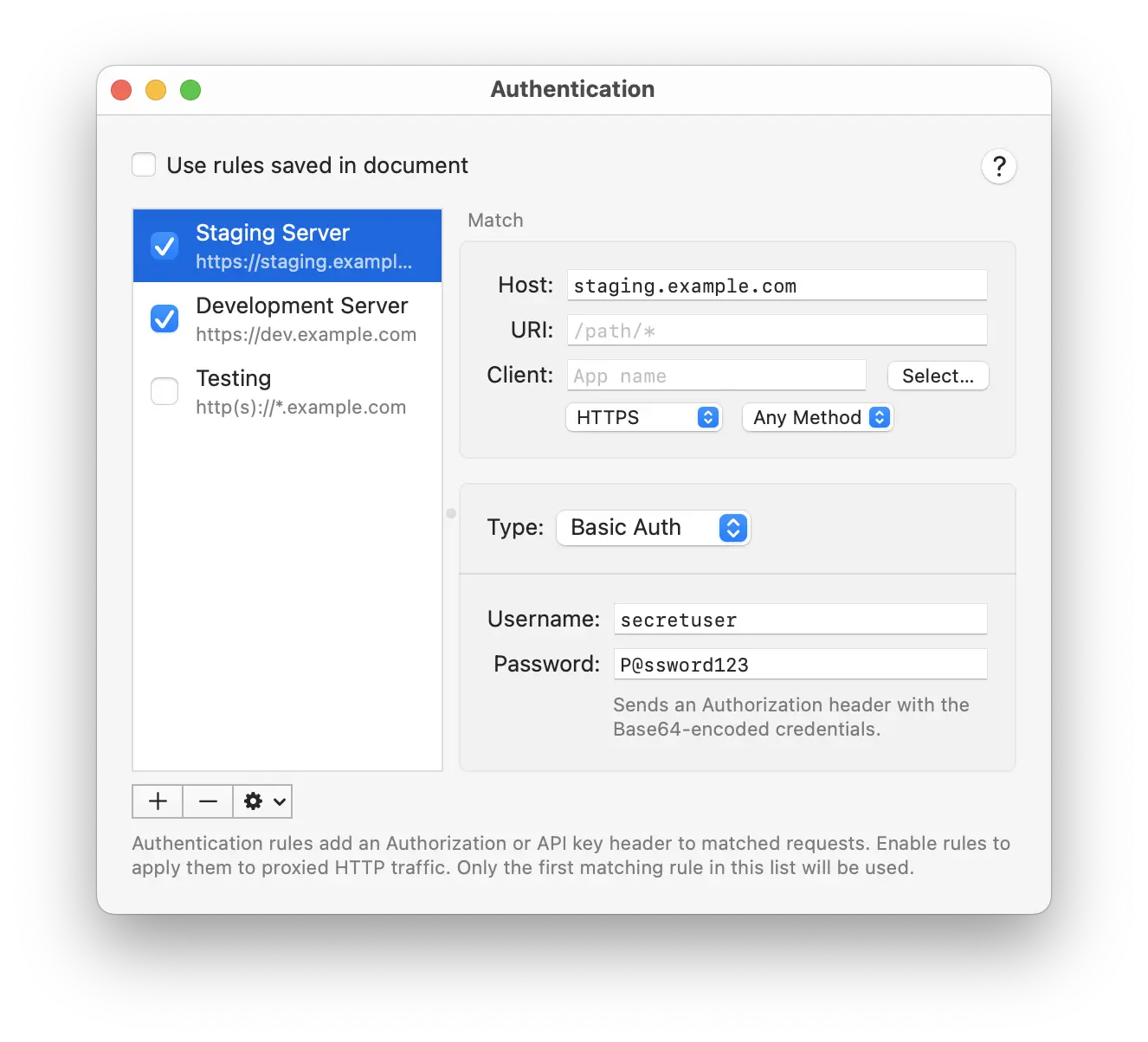
Authentication rules can be saved both globally in Proxygen app and in each project document. Toggle Use rules saved in document to switch between global and document specific rules.
Rules can be added, removed and reordered using the rules list. You can make duplicates of existing rules. Enable or disable each rule using its checkbox. Only the first matching enabled rule is applied to a request.
Matching
Each rule can be limited to specific traffic using the following fields. Leave a field at its default value to match all traffic.
- Host matches the server host name (wildcards supported).
- URI matches the request path (wildcards supported).
- Client matches by the name of the app that made the request. Type a name (wildcards supported) or use Select… to pick an app from your Applications folder.
- Scheme matches HTTP or HTTPS requests.
- Method matches a specific HTTP request method.
Authentication types
Choose the Type of authentication for each rule. The fields below the type change to match the selected kind.
Basic Auth, API Key, Bearer Token and JWT add a header to the matching request before it is sent. Digest and NTLM instead perform a live challenge-response handshake with the server over the connection.
All types work for proxied traffic as well as requests sent from the Test and Editor tools.
Field values support variable placeholders using {{name}} syntax. For example, set a Bearer token to {{apiToken}} or include a built-in like {{uuid}}. Placeholders are substituted with current values before each request is sent.
| Type | Fields | Description |
|---|---|---|
| Basic Auth | Username, Password | Sends an Authorization header with the Base64-encoded username:password credentials. |
| API Key | Header, Key | Sends the key verbatim in a custom header, such as X-API-Key. |
| Bearer Token | Token | Sends an Authorization: Bearer header with the token. |
| JWT | Algorithm, Secret, Payload | Signs a JSON Web Token locally and sends it as a bearer token in the Authorization header. Algorithm is HS256, HS384 or HS512, and Payload is a JSON object. Enable Base64 encoded secret when your secret is Base64-encoded. |
| Digest | Username, Password | Performs an HTTP Digest challenge-response handshake with the server. The realm, nonce and algorithm are taken from the server’s challenge. |
| NTLM | Version, Username, Password, Domain, Domain Hostname | Performs the NTLM challenge-response handshake with the server. Version is NTLMv2 or NTLMv1, and Domain and Domain Hostname are optional. |