Rewrites
Change contents of requests and responses.
Rewrites can change target address and contents of proxied requests and responses. This can be useful while developing a client application and testing its behavior with certain server data. It can also alter functionality of client applications by overwriting data they send to the server API.
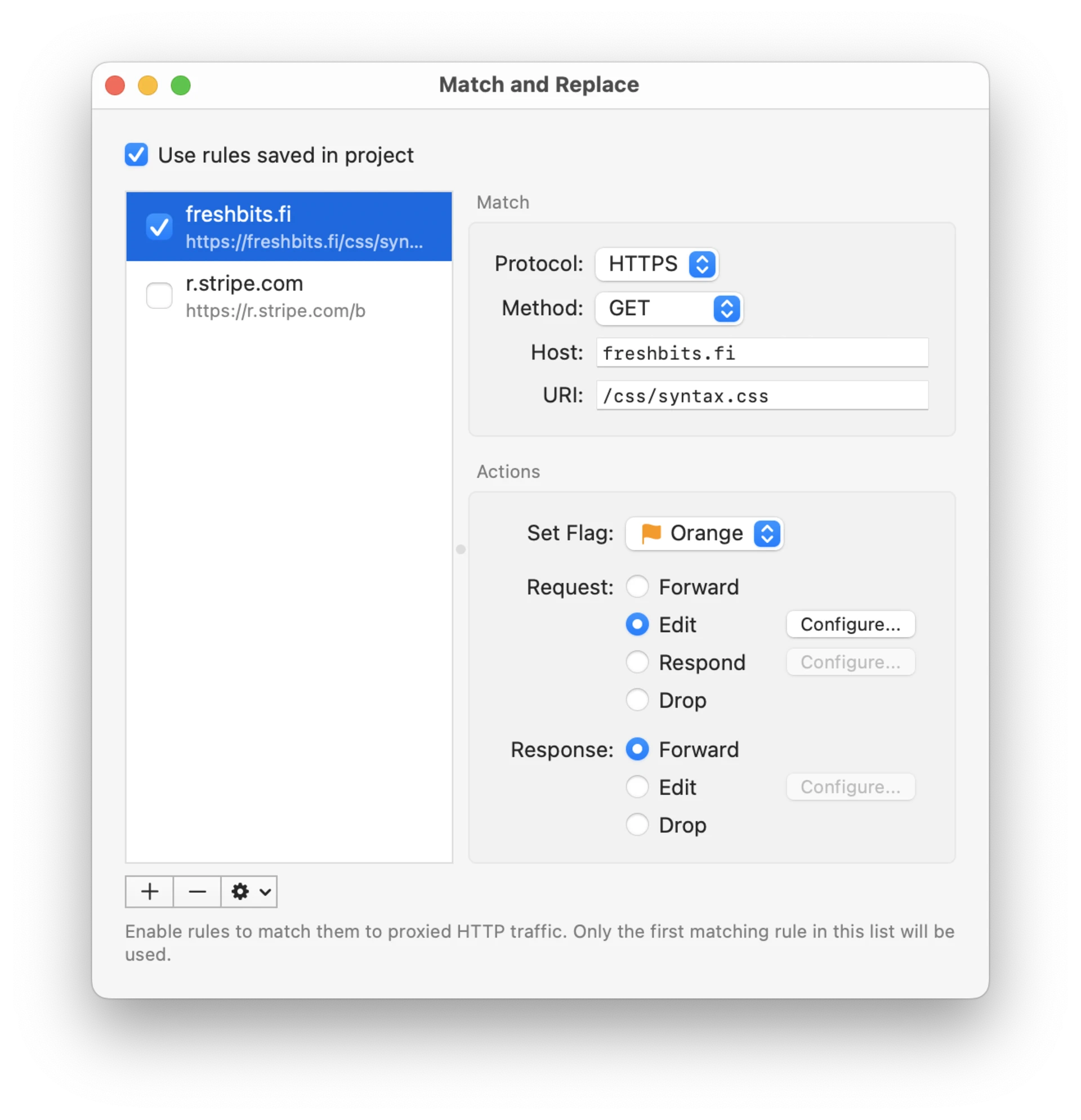
Rewrite rules can be saved both globally in Proxygen app and in each project document. Toggle Use rules saved in project to enable global or project specific rules.
Rules can be added, removed and reordered using the rules list. You can make duplicates of existing rules.
Matching
Each rule can be limited to specific traffic using the following fields. Leave a field at its default value to match all traffic.
- Host matches the server host name (wildcards supported).
- URI matches the request path (wildcards supported).
- Client matches by the name of the app that made the request. Type a name (wildcards supported) or use Select… to pick an app from your Applications folder.
- Scheme matches HTTP or HTTPS requests.
- Method matches a specific HTTP request method.
Use Add Rewrite Rule menu action in History to add a rule for a request. It will automatically fill in these fields to get you started.
Actions
You can perform the following actions:
- Set Flag assigns a flag to all matching messages
- Edit request or response and then forward it to its destination
- Respond to a request with a custom response without sending it to the remote server
- Drop request or response without forwarding it
Edit requests and responses
Target host, URI, header and body fields support variable placeholders using {{name}} syntax, such as {{apiToken}} or a built-in like {{uuid}}. Placeholders are substituted with current values before each request or response is sent.
Editing a request or a response has multiple options:
- Target tab allows sending the matching request to a different remote server. Configure Host, Port or Scheme to that of new target or leave any of them empty to use original value.
Hostheader automatically gets updated to correct value.
Connection: close header so that each request opens a new upstream connection.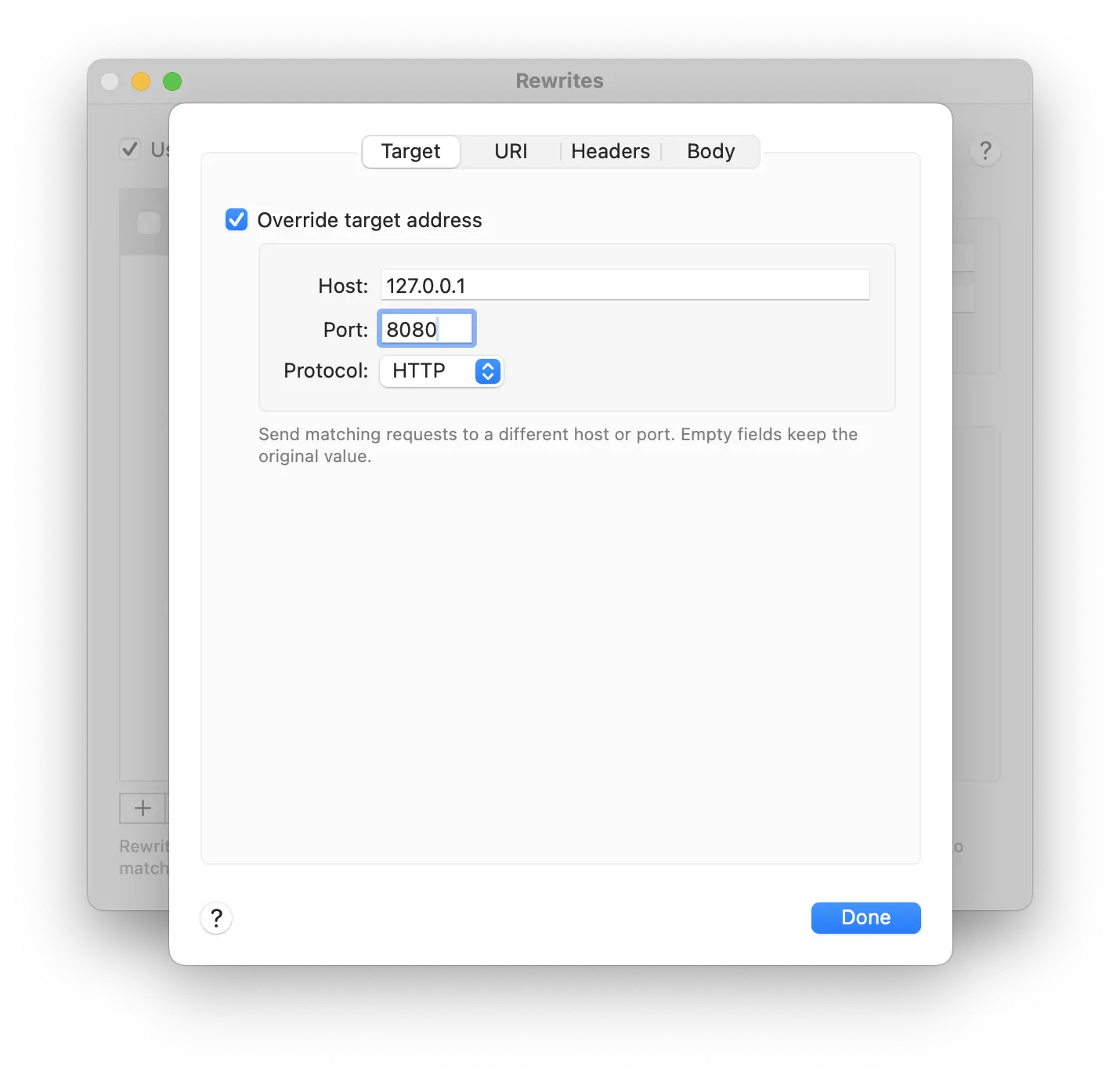
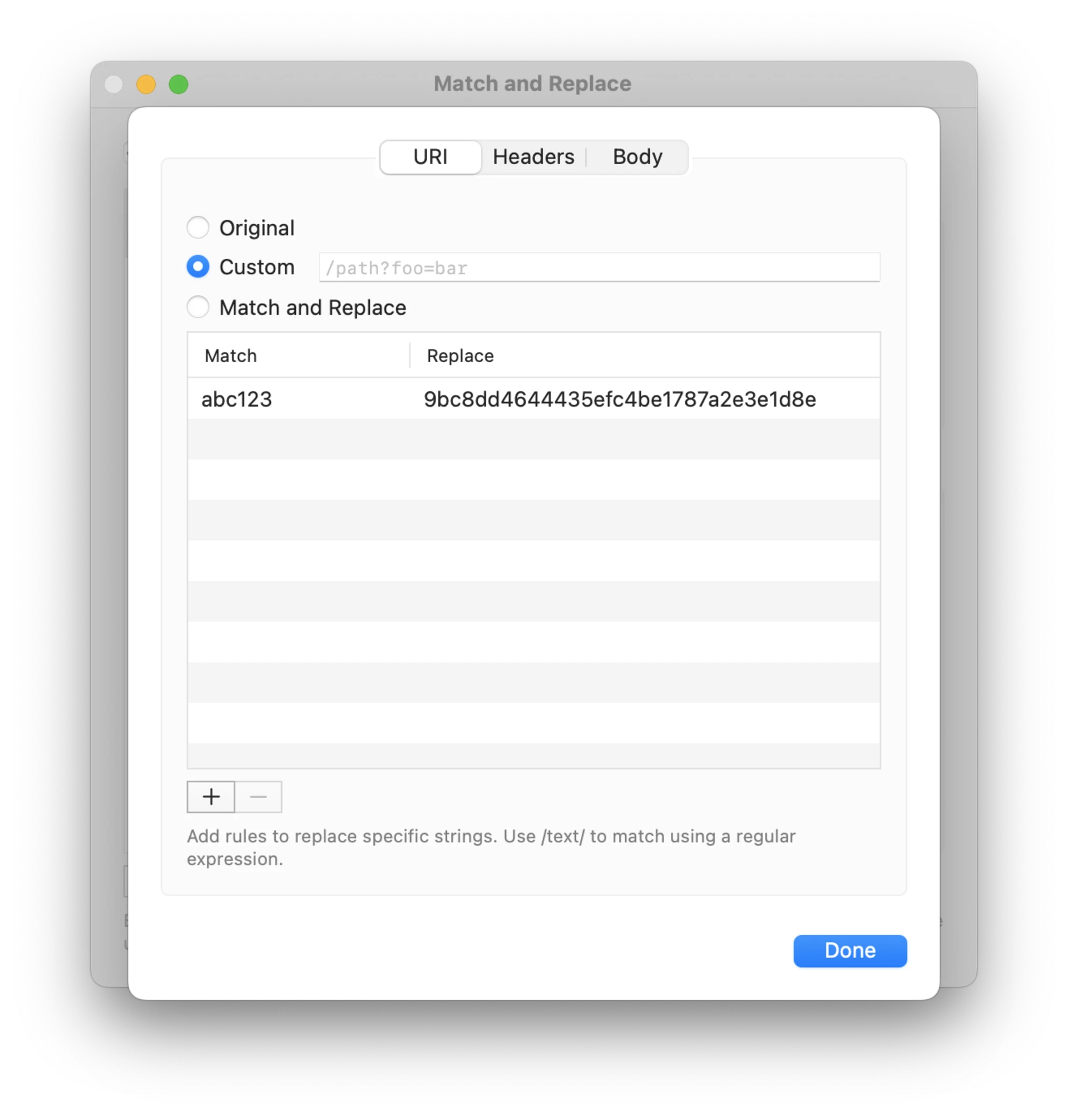
- URI tab allows you to keep original URI, replace it with a custom URI, or replace a matching range of URI with a new value. Replacement supports regular expressions such as
/userId=[^&]*/.
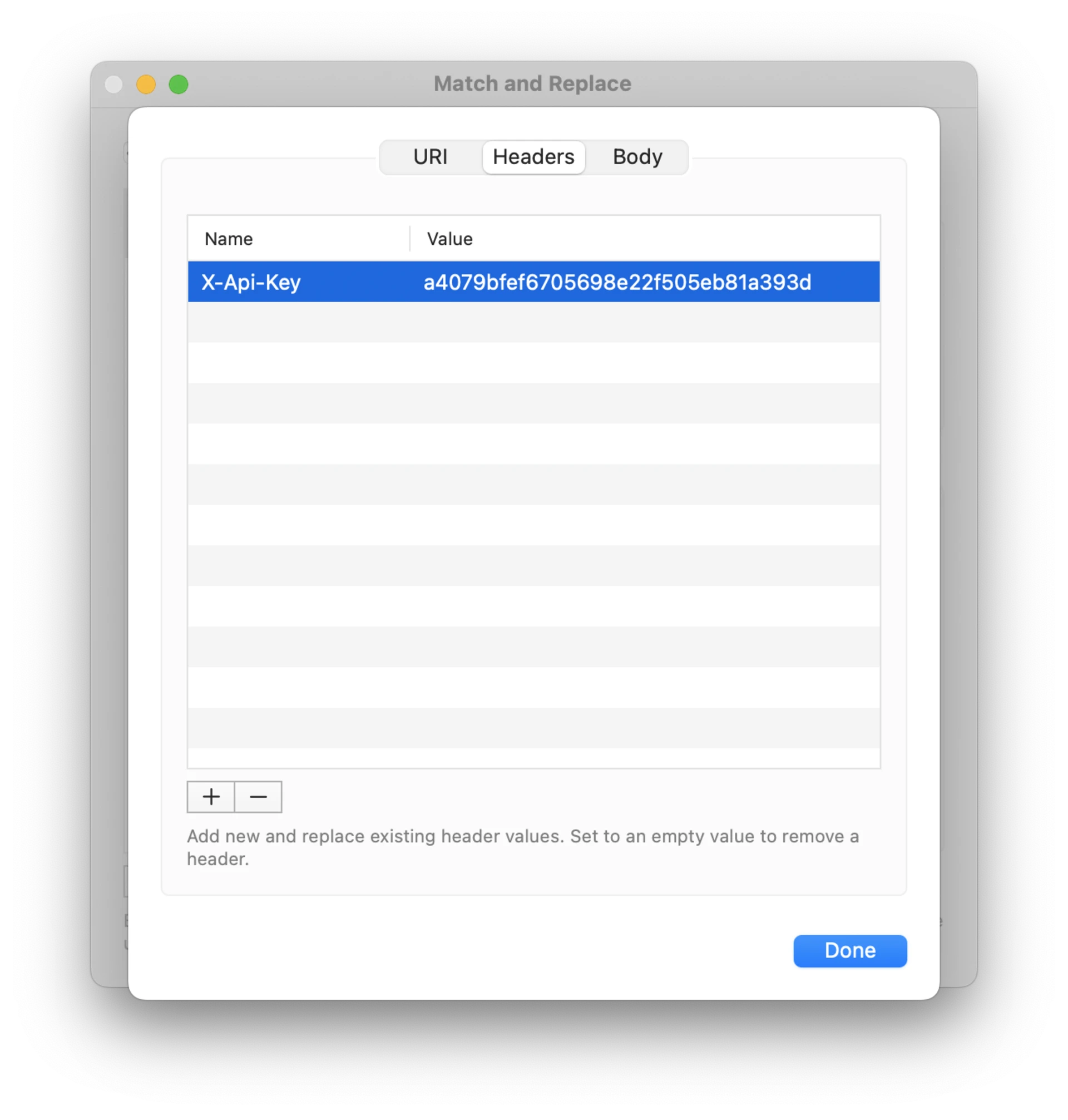
- Headers list lets you add update HTTP headers. If there is no existing header with that name it is added. If a header for that name exists, its value is updated. If you leave the value field empty, any existing headers with that name will be removed.
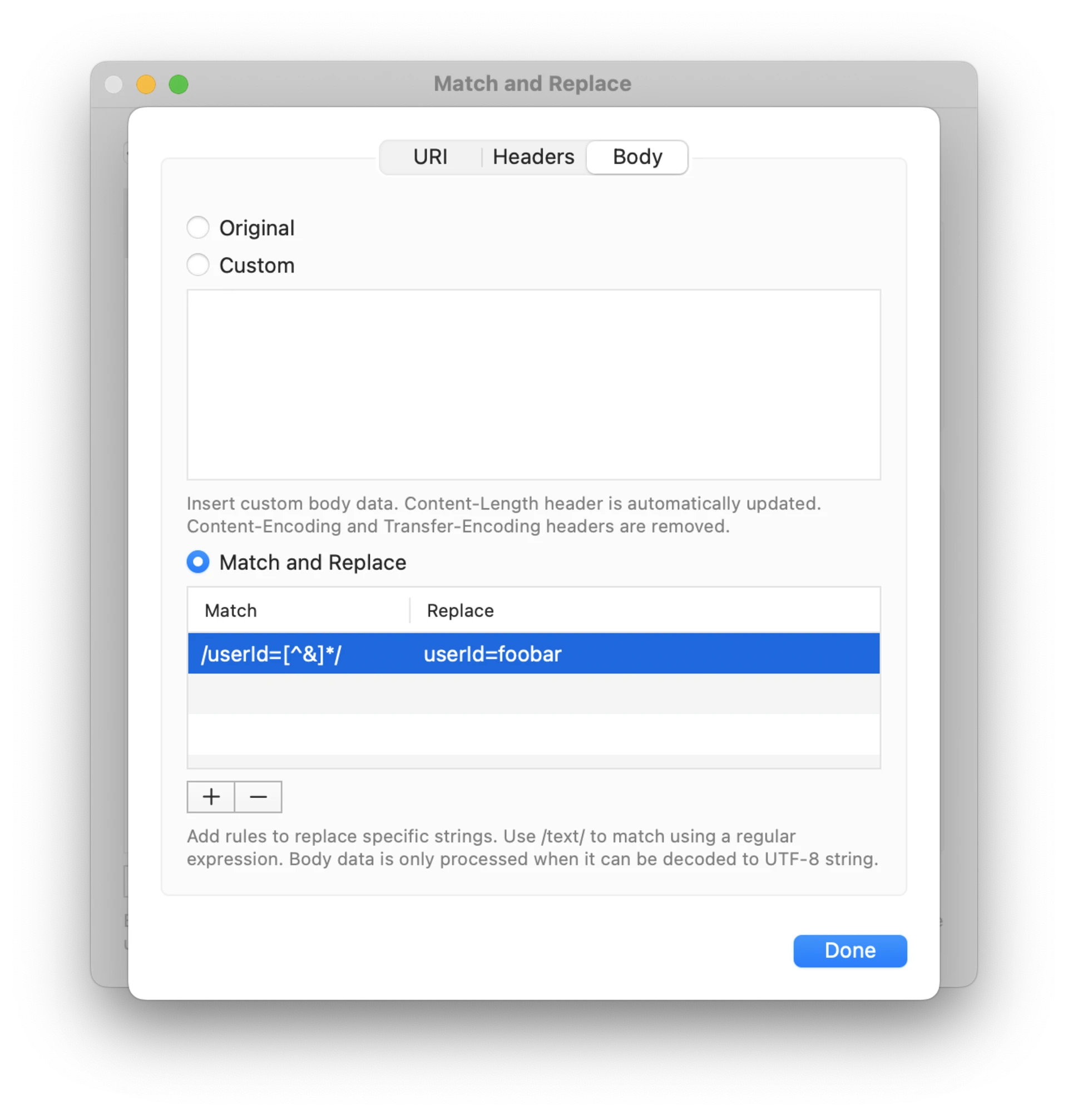
- Body tab allows you to keep original body data, replace it with custom text, replace a matching range of the body text with a new value, or read the body data from a file. Replacement supports regular expressions such as
/userId=[^&]*/.
Body data from a file
Select File in the Body tab and use Choose File… to pick the file to read body data from. This works for both request and response edits, and for the Respond action, which offers Custom and File options for its body data.
Files are read from the folder you have selected using the Set Files Folder option at the bottom of the Rewrites window. This is the same folder scripts read with readFile, and using it is required due to app sandboxing restrictions. The file is read every time the rule matches a message. Content-Length header is set to the size of the file data. Content-Type header is set based on the file name extension, unless the rule sets a content type header of its own.
Files larger than 10 MB are not read. When the file is missing or cannot be read, the original body data is sent unchanged and an error is written to the Console.