Variables
Save and share state across all tools.
Variables let you store tokens, identifiers and other values from responses and then use them later in other requests. They form the backbone that connects various tools in Proxygen together.
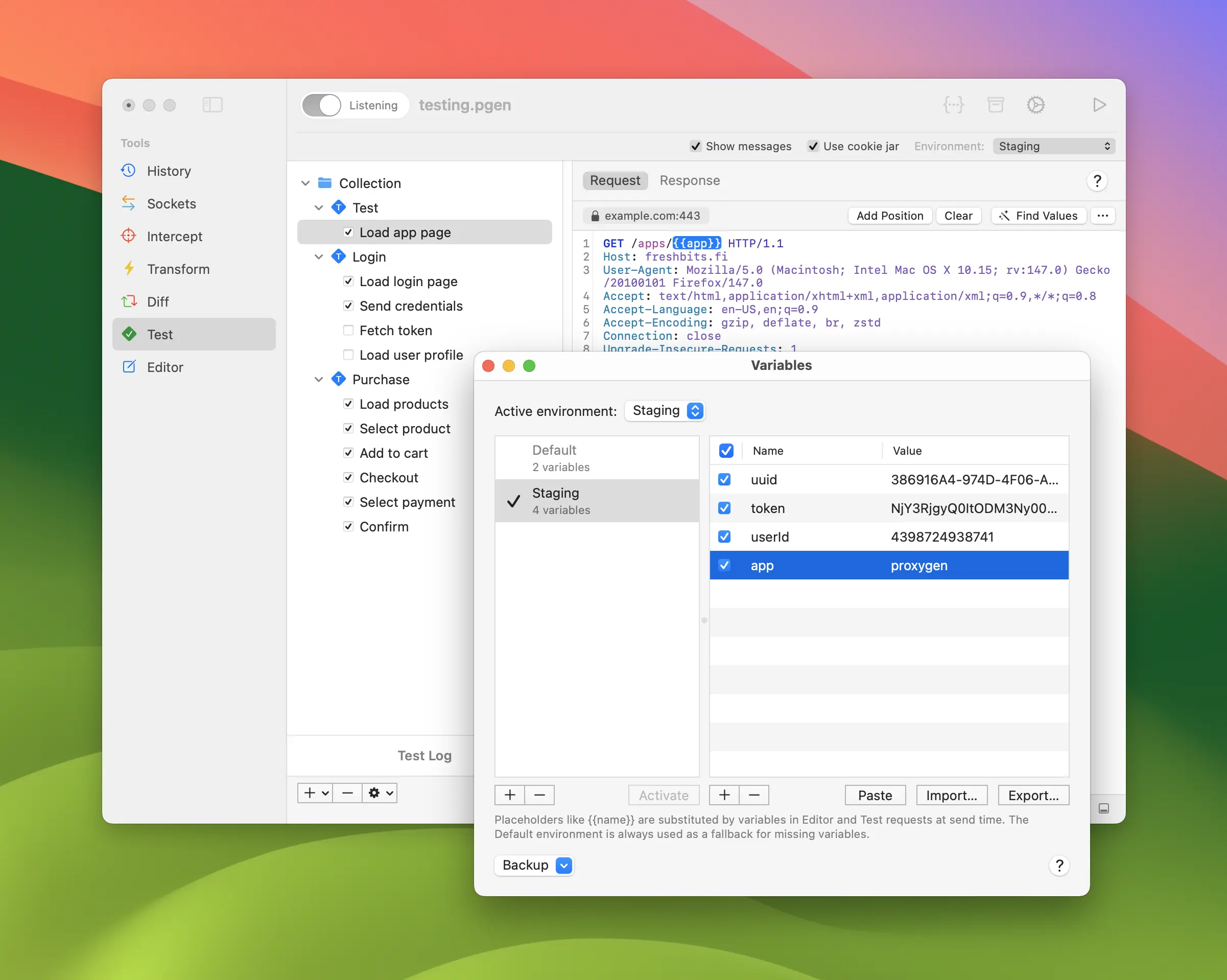
Environments
Open Variables window with keyboard shortcut shift-command-v.
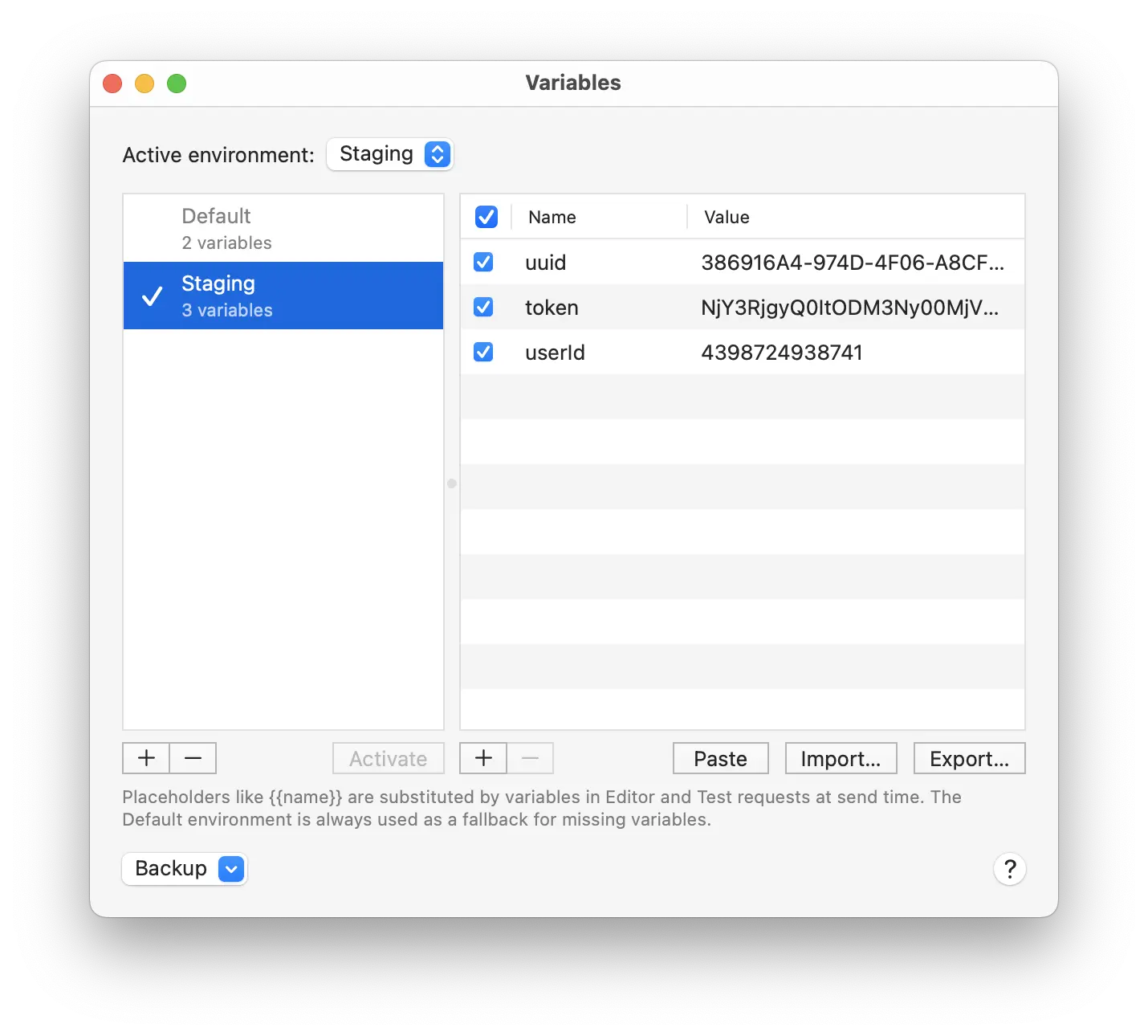
On the left you have a list of Environments, each with its own variables. One of them is the Active Environment. When substituting values the variable name is searched first from the active and then from the Default environment.
You can set up the same variable name in several environments, with different values. For example, configure a variable named apiKey in both Development and Staging environments. Then change the active environment to use a different API key for all requests.
Placeholders
Variables can be inserted to requests in Test and Editor tools using {{name}} syntax with the variable name. Type {{ to see completions of variables from active environment and available built-ins.
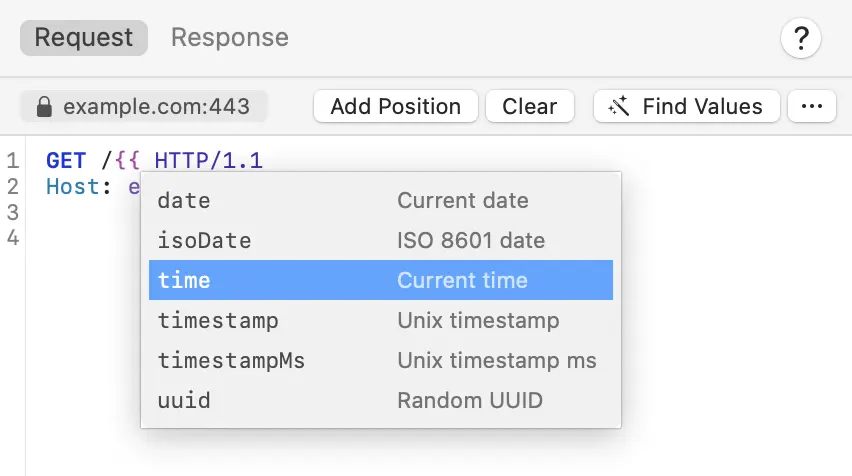
All placeholders are substituted with current variable values before the request is sent.
Built-ins
The following Built-in variables area available:
uuidinserts a random UUID valuetimestampinserts the current UNIX timestamp e.g.1775143329timestampMsinserts the current UNIX timestamp in millisecondsdate('yyyy-MM-dd')inserts current time in given format e.g.2026-04-02
For example, type {{uuid}} or {{timestamp}} in your request.
Operations
Variables and built-ins can be transformed using dot syntax with the following Operations:
base64Encode– Base64 encodebase64Decode– Base64 decodebase64UrlEncode— Base64URL encodebase64UrlDecode— Base64URL decodehexEncode– Hex encodehexDecode– Hex decodeurlEncode– URL encodeurlDecode– URL decodejsonEscape– JSON escapejsonUnescape– JSON unescapejsonPrettyPrint— Pretty print JSONhtmlEscape– HTML escapehtmlUnescape– HTML unescapeunicodeEscape– Escape non-ASCII as \uXXXXunicodeUnescape– Unescape non-ASCII from \uXXXXasciiHexEncode— Hex encodeasciiHexDecode— Hex decodesha1– SHA-1 hashsha256– SHA-256 hashsha512– SHA-512 hashmd5– MD5 hashuppercase– Uppercaselowercase– Lowercasetrim– Trim whitespacereverse— Reverse a stringfirst— First element of arraylast— Last element of arraycountandlength— Length of array or string
Some operations accept parameters:
split('separator')— Split string into arraynth(index)— Element at index (0-based)replace('match','replacement')— Literal string replacementregexReplace('pattern','replacement')— Regex replacementsubstring(start,end)— Extract portion of stringaddPrefix('text')— Prepend stringaddSuffix('text')— Append stringjsonPath('query')— JSONPath queryxpath('query')— XPath queryhmacSha256('key')andhmacSha512('key')— HMAC signing
Here are some examples of chaining operations:
// Base64-encode a token and add the Bearer prefix
Authorization: {{apiToken.base64Encode.addPrefix('Bearer ')}}

// URL-encode a JSON-escaped value
body={{payload.jsonEscape.urlEncode}}

// get the second path segment from a URL stored in a variable
{{apiPath.split('/').nth(1).uppercase}}

// add a prefix to a base64-encoded value
{{secret.base64Encode.addPrefix('Basic ')}}

// extract a field from a JSON variable using jsonPath, then trim whitespace
{{response.jsonPath('$.data.name').trim}}
Scripting
Variables are also available to scripting. You can use the following functions to read from and write to variables:
// get variable value by name
getVariable(name)

// set variable value by name
setVariable(name, value)