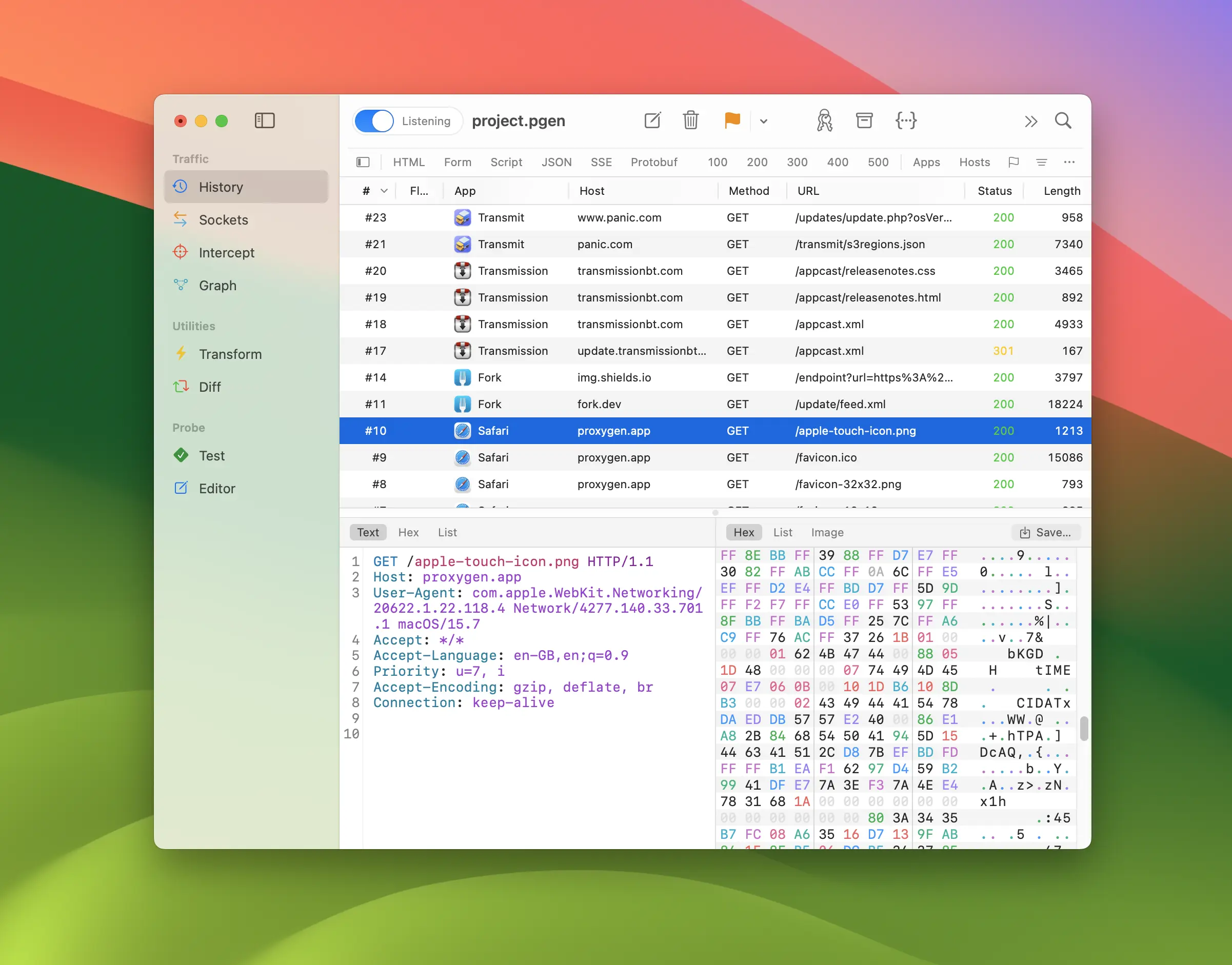
Wireshark is the reference tool for packet analysis, but most of the time a developer reaches for it, the actual question is an HTTP one: what did my app send, what did the server answer, and why did that request fail? At that altitude Wireshark makes you work hard — HTTPS shows up as encrypted TLS records unless you can supply key material, and reassembling a request from packets is a detour when what you wanted was the JSON body.
Proxygen is a Wireshark alternative for Mac, iPhone and iPad that shows HTTPS traffic as requests and responses instead of packets. It is a native app built on a TLS manipulator-in-the-middle proxy that captures and decrypts the traffic for you. And if you still need the packet view, the two tools work together — more on that below.
Packets or requests?
The right tool depends on the layer your problem lives at. Wireshark is unbeatable for network-level questions: DNS resolution, TCP retransmissions, TLS handshake failures, or protocols that aren’t HTTP at all. But for API debugging — headers, status codes, response bodies, timing of individual calls — a debugging proxy skips the reassembly work and shows the conversation the way your code sees it.
Familiar Wireshark habits have direct counterparts in Proxygen:
| In Wireshark | In Proxygen |
|---|---|
Display filters (http.host == …) |
History filter rules — match on host, path, method, status, content type and more |
| Follow → HTTP Stream | The message viewer — full request and response with decoded bodies, one click from the list |
| Statistics → Conversations / Endpoints | Graph — a live map of apps, hosts and the connections between them |
| Coloring rules | Flags — mark matching messages by color, manually or with rules |
| File → Export Objects → HTTP | Export selected messages to HTTP Archive (.har) files |
| Following WebSocket frames | Sockets — WebSocket and SSE channels with their messages, as a first-class tool |
Decrypting HTTPS without the key-log dance
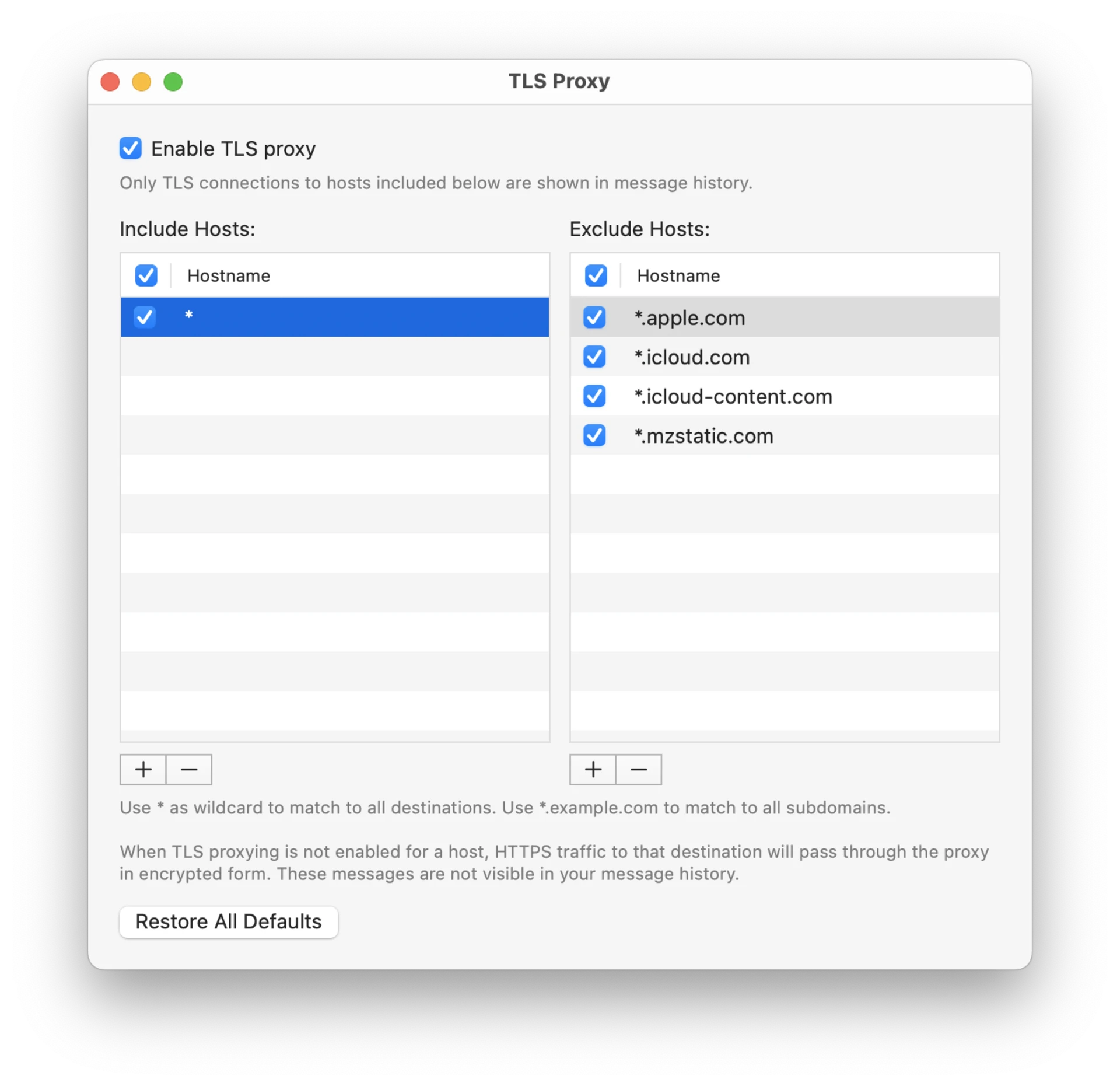
To read HTTPS in Wireshark you need the session secrets: an SSLKEYLOGFILE environment variable that the client honors, a browser launched just so, and no luck at all with most native apps that never expose their keys. Proxygen removes that dependency by sitting between client and server as a trusted proxy — it terminates TLS with its own CA certificate, so traffic from any app that respects system proxy settings arrives already decrypted. TLS proxying is controlled per client app and target host, so you decrypt only the traffic you mean to.
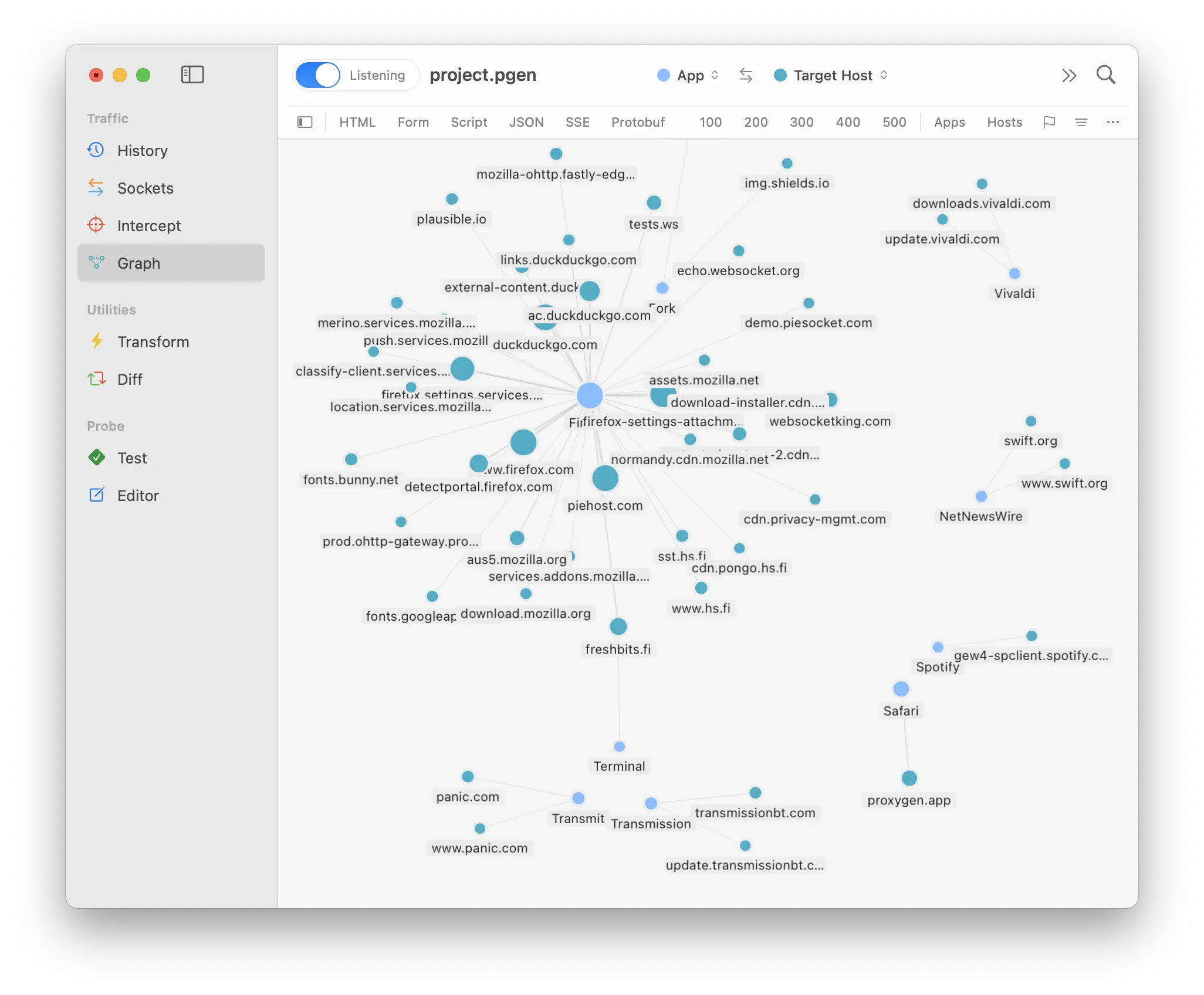
A live map of your traffic
Wireshark users tend to think in terms of endpoints and conversations, and Proxygen has a view built around exactly that mental model: the Graph tool draws captured traffic as a map of client apps, hosts and network connections, with traffic breakdowns per node. It makes immediately visible which processes on your Mac talk to which servers — the kind of overview that takes filter gymnastics to approximate in a packet list.
For the socket-level view, the Connection Monitor window lists every TCP connection in the proxy with local and remote addresses, bytes in and out, and connection duration.
Modify traffic, not just observe it
A packet analyzer is strictly read-only. A debugging proxy participates: Intercept holds requests and responses on the wire so you can edit, forward or drop them; Rewrites modify matching traffic automatically or answer requests with custom responses without touching the server; and the Editor replays any captured request with your changes. For debugging an API integration, this is the half of the job Wireshark was never built for.
Keep Wireshark in the loop
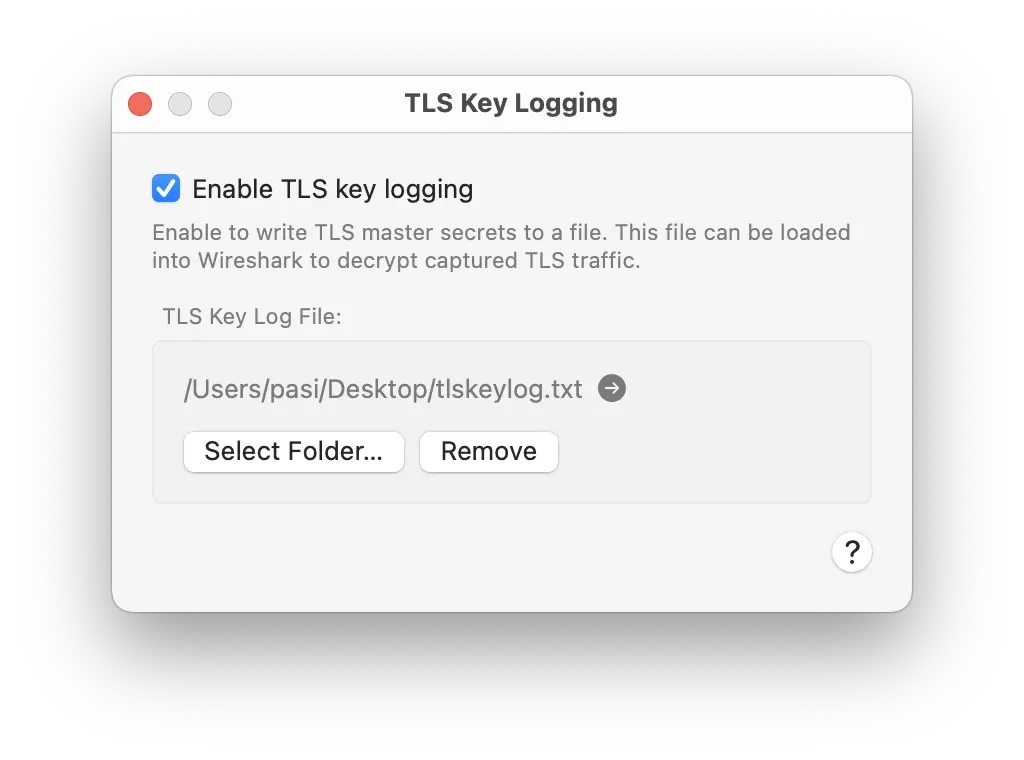
Sometimes you genuinely need both views — the decoded HTTP conversation and the raw packets underneath. Proxygen’s TLS Key Logging exports the master secrets it negotiates to a standard NSS key log file, covering both the client-to-proxy and proxy-to-origin connections. Point Wireshark’s Preferences → Protocols → TLS → (Pre)-Master-Secret log filename at that file, and it decrypts the matching sessions in your packet capture. Proxygen becomes the key source Wireshark always wished your apps were.
iPhone traffic, without rvictl
Capturing iOS device traffic for Wireshark means creating a remote virtual interface with a cable and rvictl — and the HTTPS inside is still encrypted.
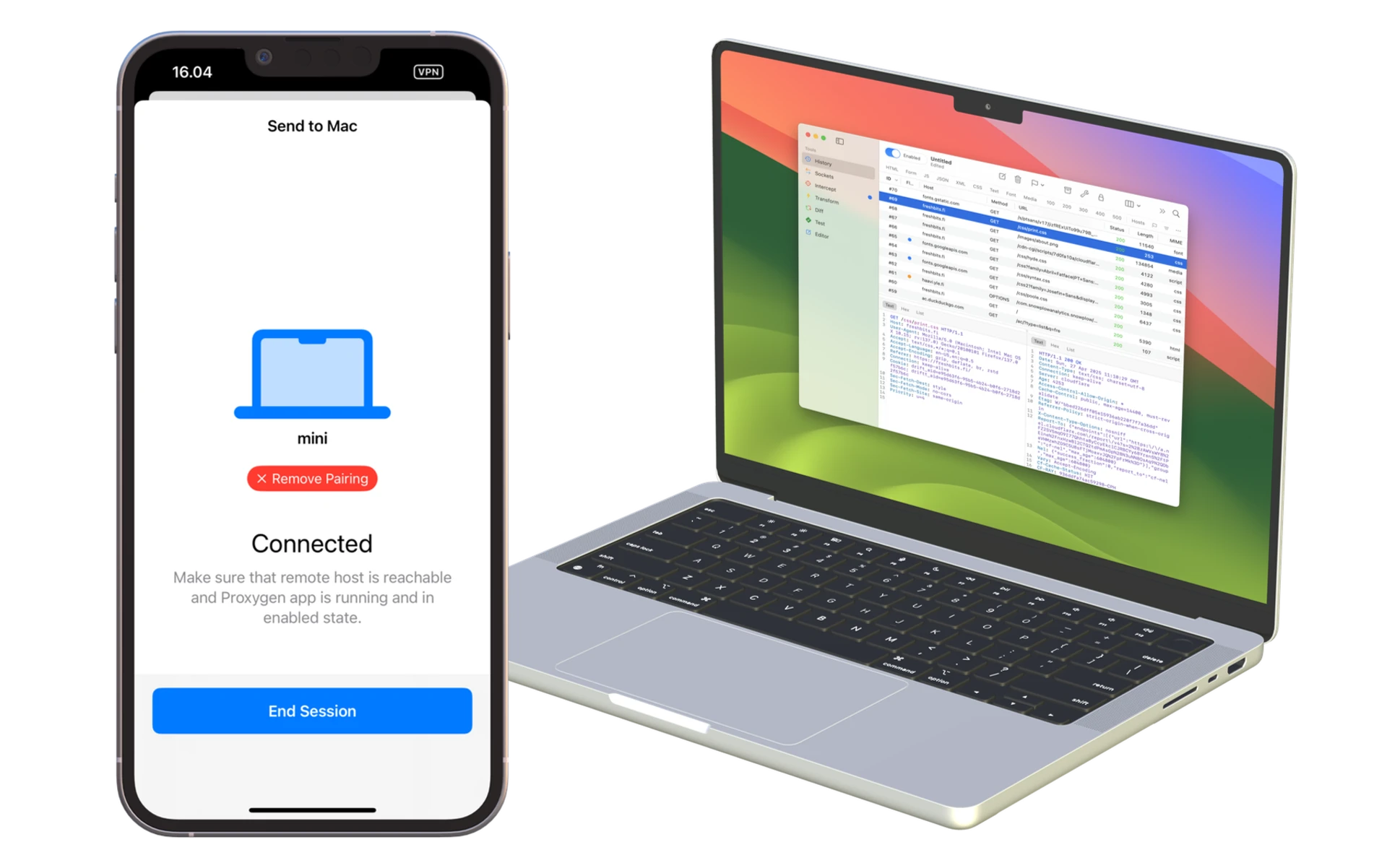
Proxygen’s iOS app captures and decrypts traffic on the device itself, over Wi-Fi and cellular, and can mirror it live to the Mac app. The setup is covered step by step in How to Inspect HTTPS Traffic on iPhone.
Where Wireshark still wins
Wireshark is free, open source, and the right choice for non-HTTP protocols, packet-level forensics and network troubleshooting below the application layer. Proxygen doesn’t replace any of that — it replaces the painful part where a developer bends a packet analyzer into an HTTP debugger. With key logging, you can run both side by side.
Proxygen is a native Swift app sold as a one-time purchase — no subscription — and the free trial is fully featured. Full documentation is at proxygen.app/docs.